

First contact
Collect requests from connected channels
Model case studies · example Tygy workflows
A developer with multiple residential projects, a contact centre and sales teams.
A buyer asks about a residential project in a messenger or property listing channel. The contact centre gathers requirements and passes the conversation to a project manager with its history.
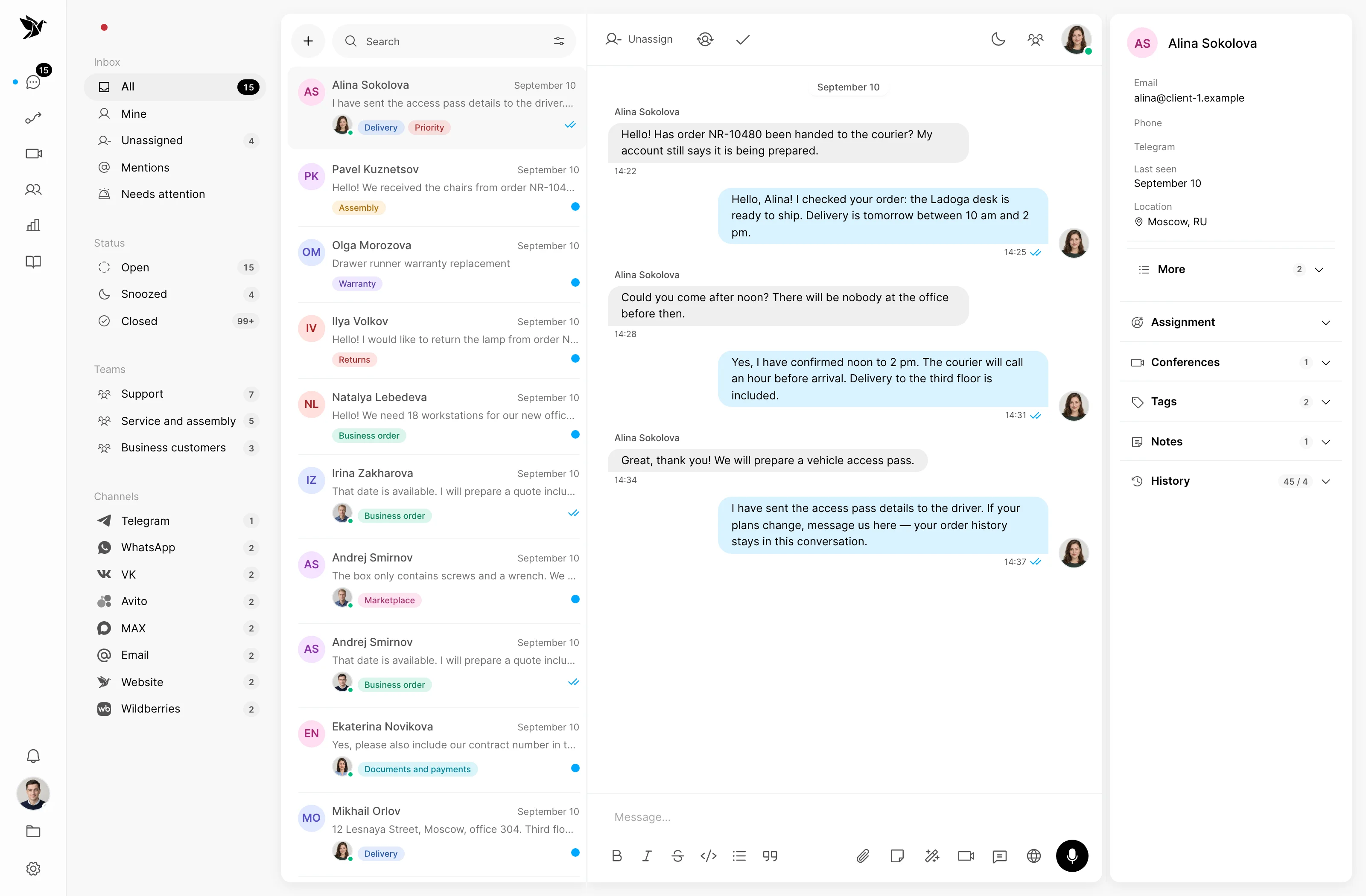
Collect requests from connected channels
Keep agreements through the handoff
Confirm the next step
First contact
The team sees incoming questions in a shared inbox. An agent identifies the project and the buyer’s needs before assigning a suitable manager.
Buyer context
The contact profile and notes show the manager what has already been discussed. They can continue the conversation without repeating the introduction.
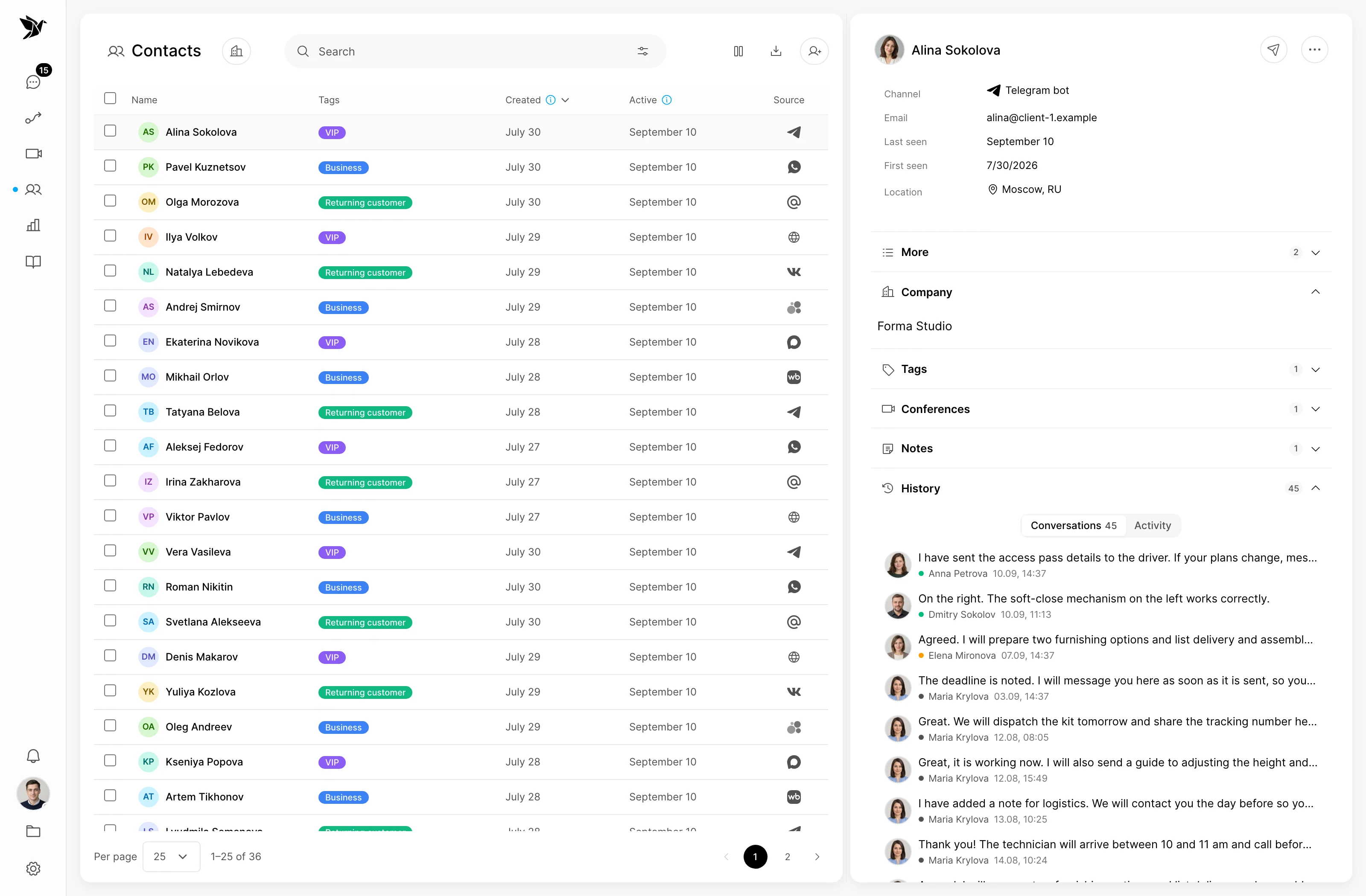
Follow-up
A manager checks availability and terms in the sales system, then agrees a consultation or meeting with the buyer. Agreements stay in the conversation.
Screenshots show the Tygy interface with demonstration data. Names, conversations and figures are examples.
How the process works
A developer with multiple residential projects, a contact centre and sales teams.
Requests details about a specific development.
Records preferences and identifies the project.
Verifies availability and terms in the sales system.
Confirm the next step in the conversation.
Everyday tools
Tag the project and question topic.
Record the buyer’s confirmed preferences.
Verify current terms before replying.
Property development
No. Managers handle reservations in their sales system in this workflow. Tygy retains communication and supports context handoffs.
This is a model workflow based on Tygy features that you can adapt to your company’s processes.
Choose one team and request type. Compare the existing workflow with a pilot using comparable samples, then decide what to expand.
Choose one team and request type. Compare the existing workflow with a pilot using comparable samples, then decide what to expand.
14 days free · No credit card required