

Video meeting
Discuss the question with voice and video
Move from text to a video meeting. Discuss a difficult question, share your screen, and keep the audio recording, transcript and summary alongside the request.
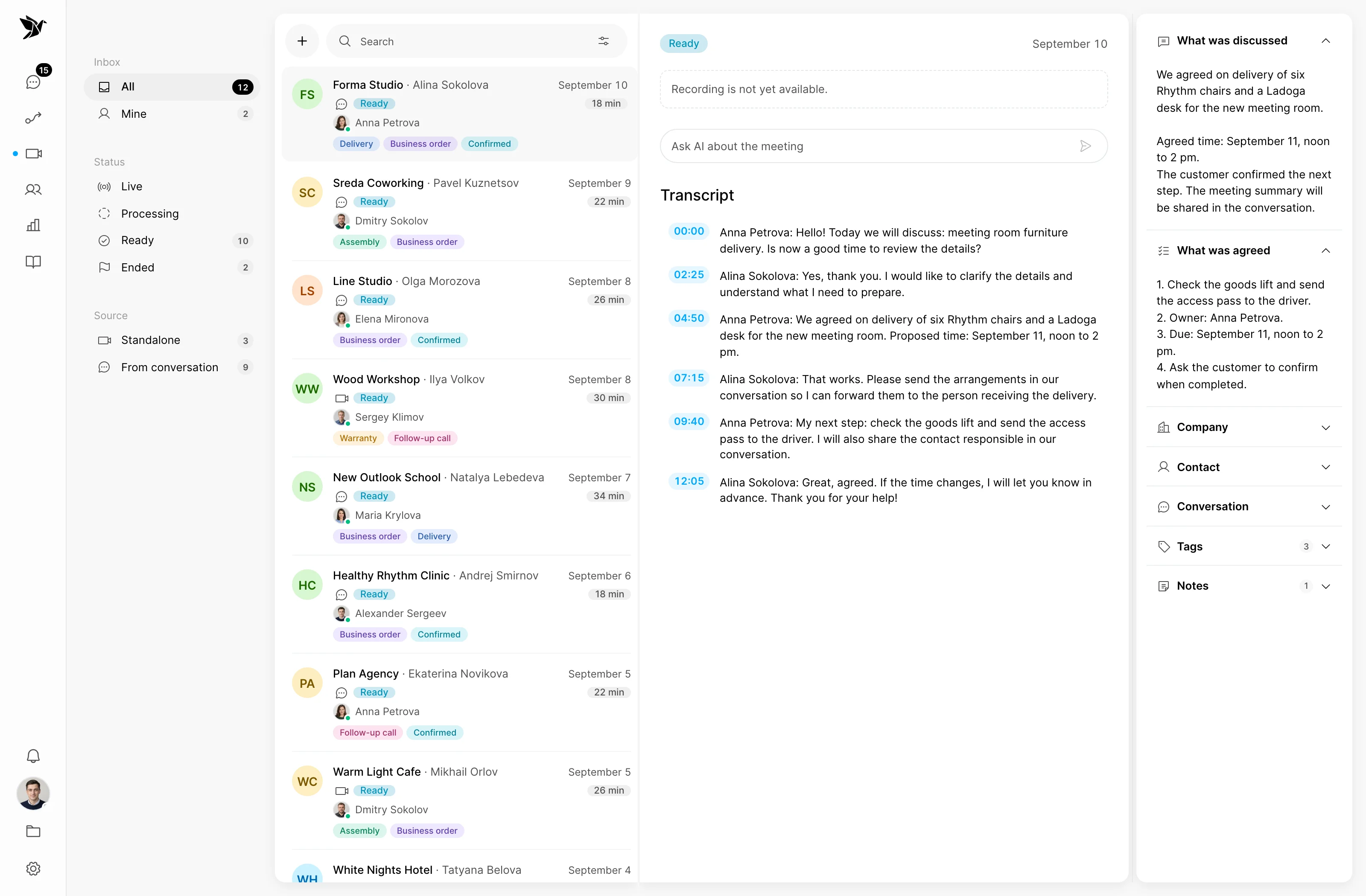
Discuss the question with voice and video
Show what is difficult to describe
Revisit the recording and agreements
Video meeting
When messaging is not enough, continue in a video meeting. A live conversation helps you work through the details of a complex request with the customer.
Screen sharing
Screen sharing helps you explain an interface or a sequence of actions. The customer and agent can discuss the same step together.
After the meeting
An audio recording, transcript and summary help you continue after the conversation. Check important details before acting on the meeting summary.
Screenshots show the Tygy interface with demonstration data. Names, conversations and figures are examples.
How it works
Agree on the meeting’s purpose and review the outcome afterwards.
Define the task and the people involved.
Choose settings for your team’s workflow.
Walk through a test example.
Review the result and refine the settings.
Check the selected workflow using your team’s examples before putting it to work.
Everyday tools
Move to a meeting when it helps.
Show the relevant sequence of actions.
Return to the meeting materials.
Conferences
When a question is easier to show or discuss aloud, such as walking through a sequence of actions with a customer.
Yes. Screen sharing helps you discuss an interface and specific actions.
The conferences page covers the meeting itself. AI conferences focuses on processing meeting materials: transcripts, summaries and agreements.
Agree on the meeting’s purpose and review the outcome afterwards.
14 days free · No credit card required