
 AI operator
Answers customers
Finds answers in your knowledge base and continues the conversation.
Every conversation in one place
AI answers customers, assists agents and keeps service quality in view.
14 days free · No credit card required
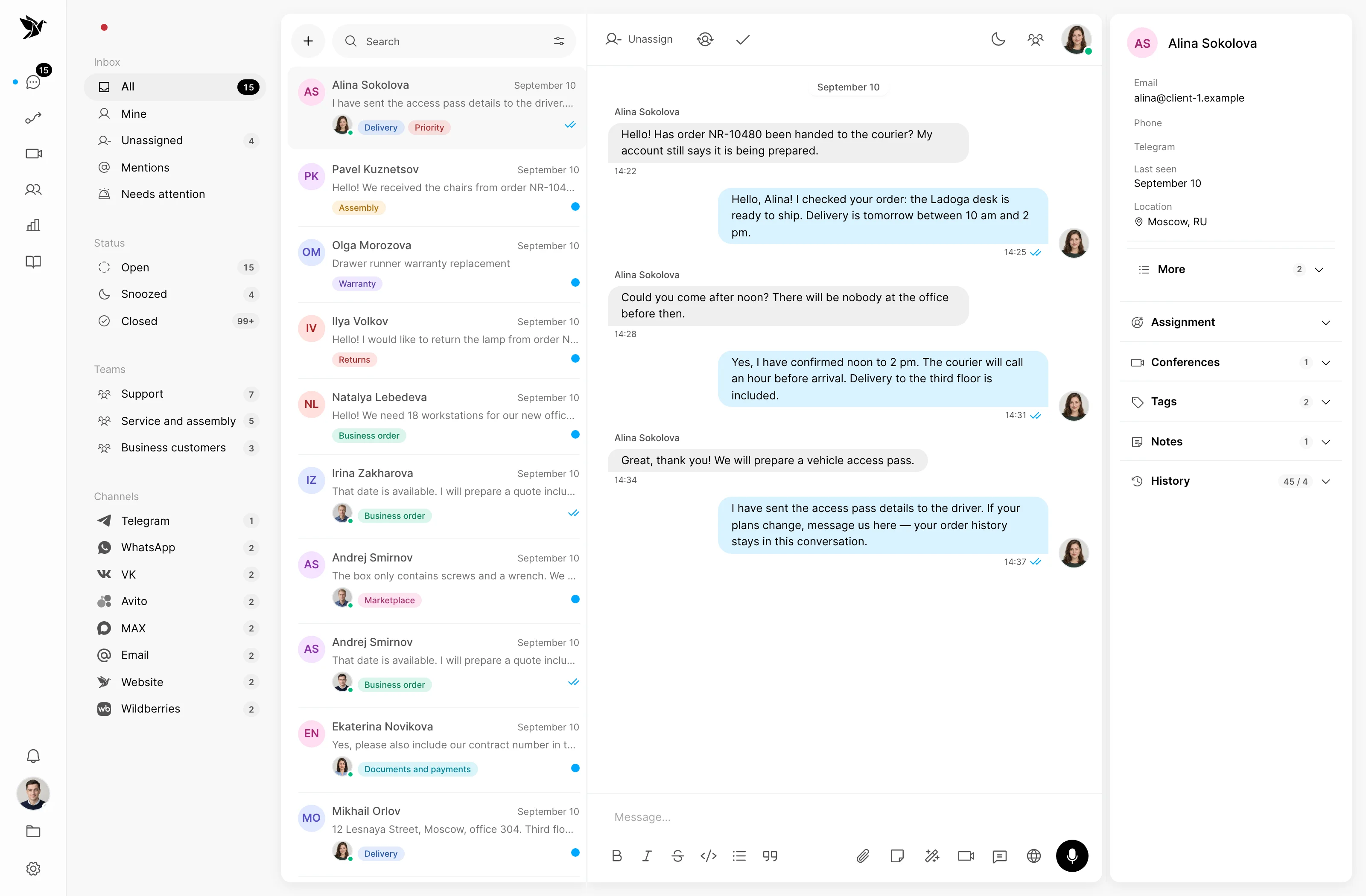
Talk to customers via messengers, social networks, marketplaces, email, phone and website chat.
AI operator
Uses your knowledge base, follows the conversation and hands over to a person when their help is needed.
AI operator. Alexey · customer: Can I book shelving assembly together with delivery? AI operator: Yes! Choose delivery with assembly at checkout. The installer will arrive with your order. Which shelving model have you chosen?
How it works
Finds answers in your knowledge base and continues the conversation.
Hands difficult questions to an agent along with their context.
Helps find knowledge gaps and add useful answers to the knowledge base.


AI translation
Automatically translates conversations in real time. Operators and customers can each use their own language, even when they do not speak each other’s language.

AI conferences
Transcripts and meeting summaries alongside the conference audio recording.

One support process
Conversations, knowledge and teamwork stay connected. Everyone has the context to know what comes next.
01 / Conversations
Bring messages from different channels into one queue. Assign owners, tag what matters and review the history without searching across chats.
Shared inbox · Owners · Tags and filters
Hello! Could you confirm the delivery time?
Assigned to agent · Helen
Hi Anna! I will check with the delivery team and get back to you.
02 / Telegram Desk
Handle requests directly in Telegram: a dedicated topic for each conversation, operator assignment and replies to customers. The built-in Mini App provides the customer profile, team notes, AI suggestions and saved replies, right beside the conversation. Your team sees the same conversation in the web interface.
Conversation topics · Mini App with customer context · Shared history
03 / Channels
Connect messengers, email, marketplaces and your website widget. Requests enter a shared workflow, and replies return to the customer’s channel.
Telegram · WhatsApp · VK · MAX · Avito · Email
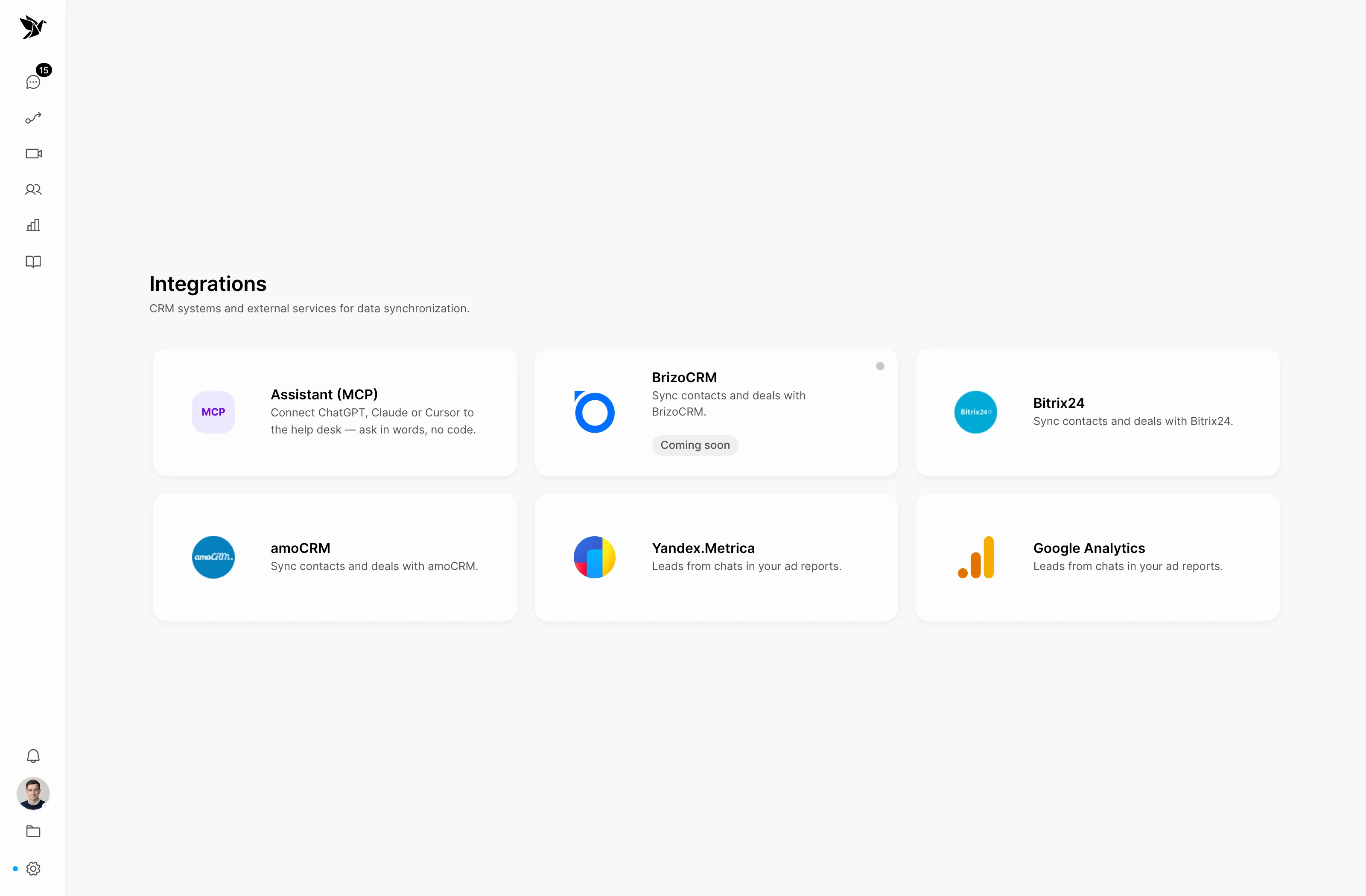
04 / Integrations
Connect support to Bitrix24 and amoCRM, and analytics to Yandex Metrica. Use conversation data in the tools your team already works with.
Bitrix24 · amoCRM · Yandex Metrica
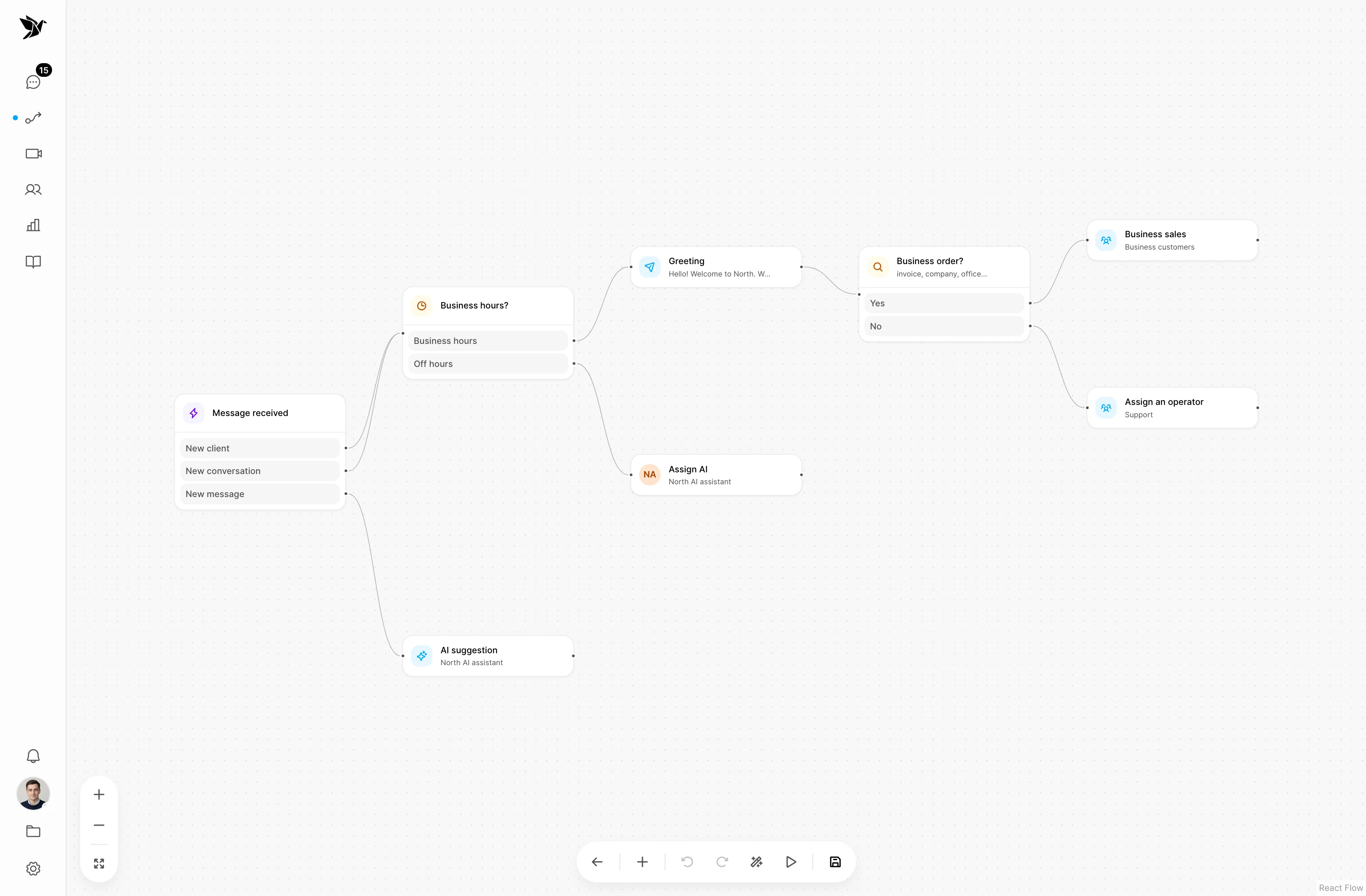
05 / Scenarios
Decide what happens to a request: who receives it, when to send an automatic reply and which actions to take. Build scenarios in the visual editor.
Conditions · Routing · Automatic actions
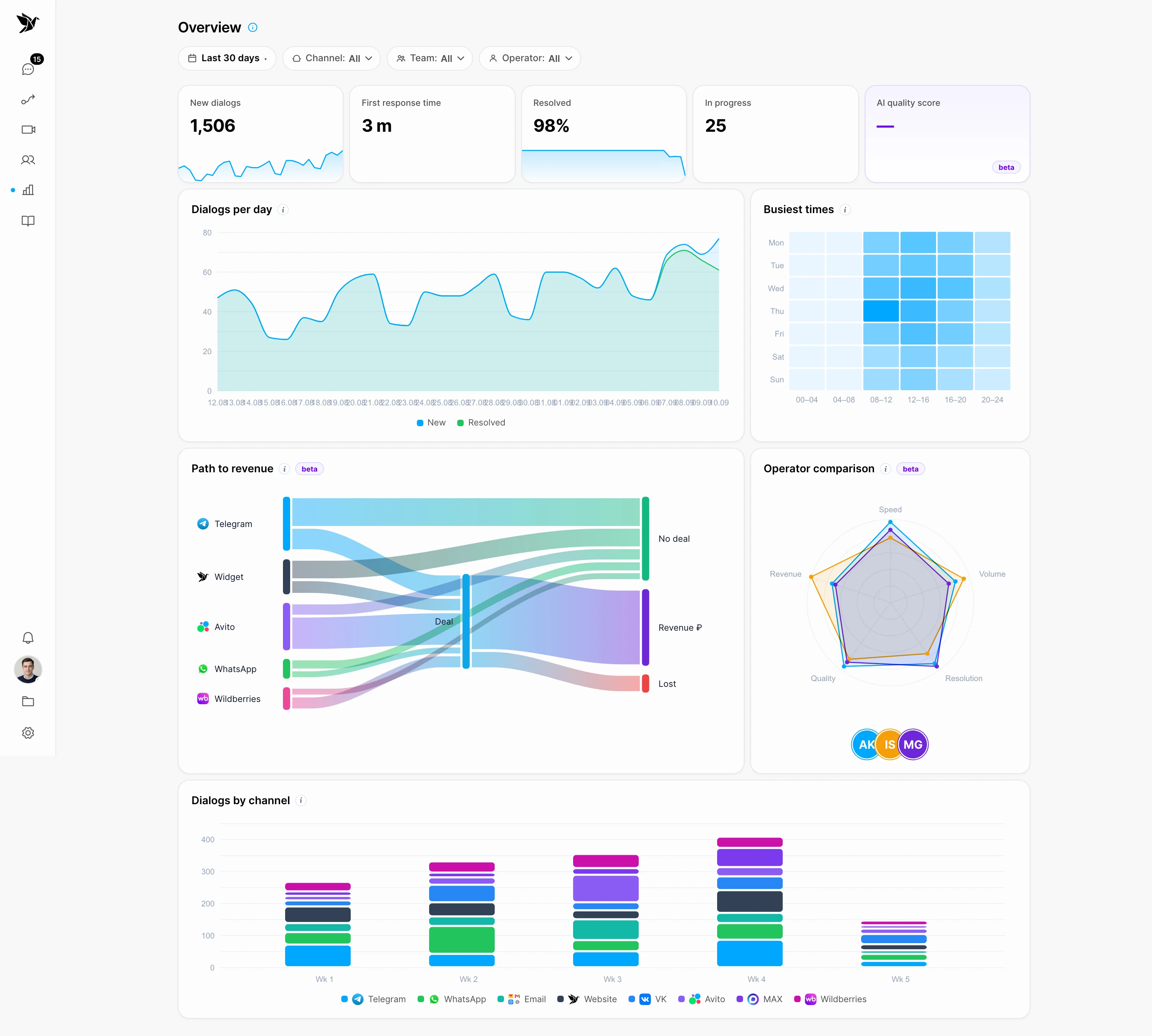
06 / Analytics
Track incoming requests, response times and agent work. Compare periods and understand where your team needs help.
Trends · Team · Channels · Quality
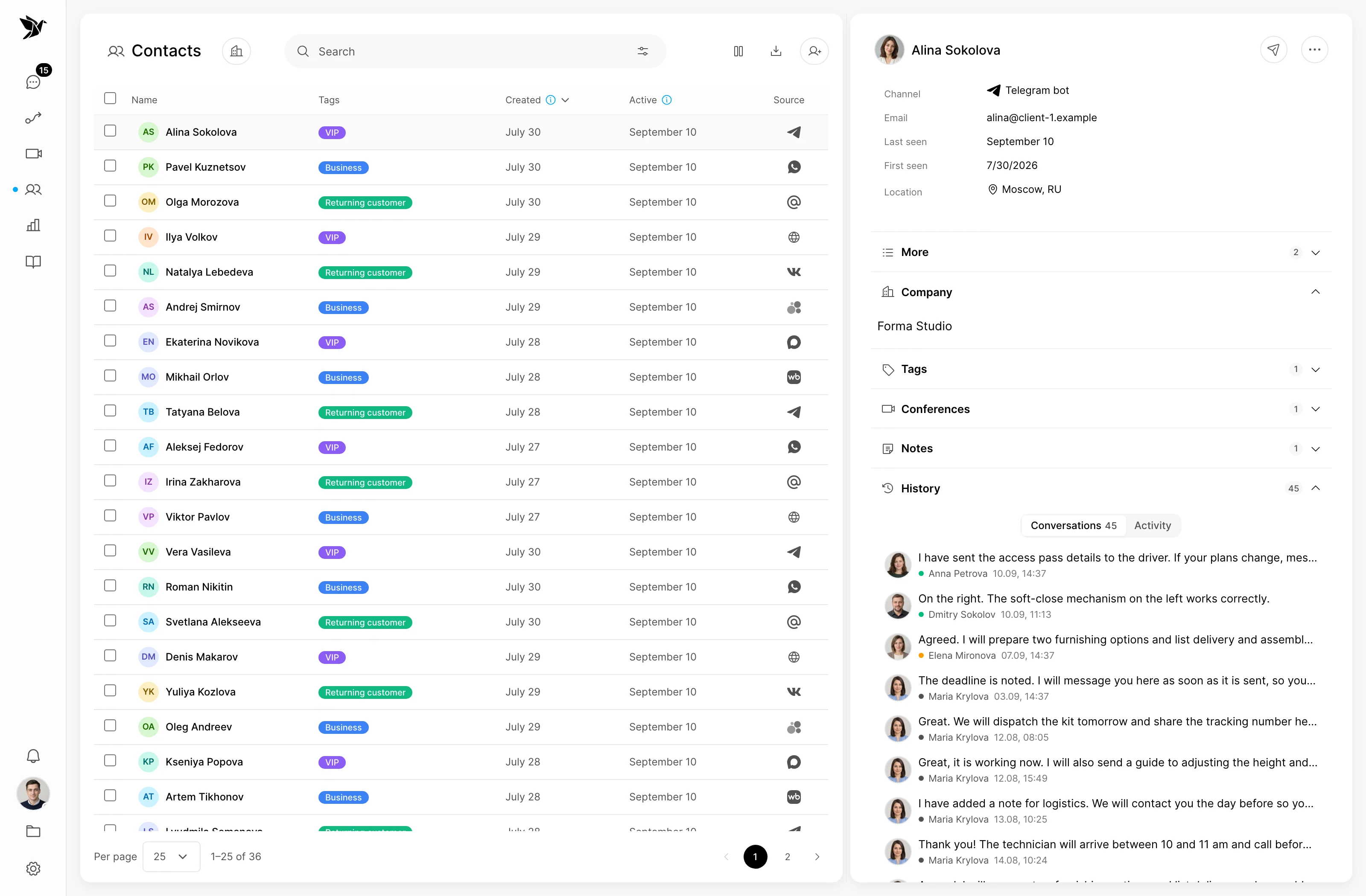
07 / Contacts
Keep people and company information alongside their conversations. Review previous requests, add notes and share context with colleagues.
People and companies · History · Notes
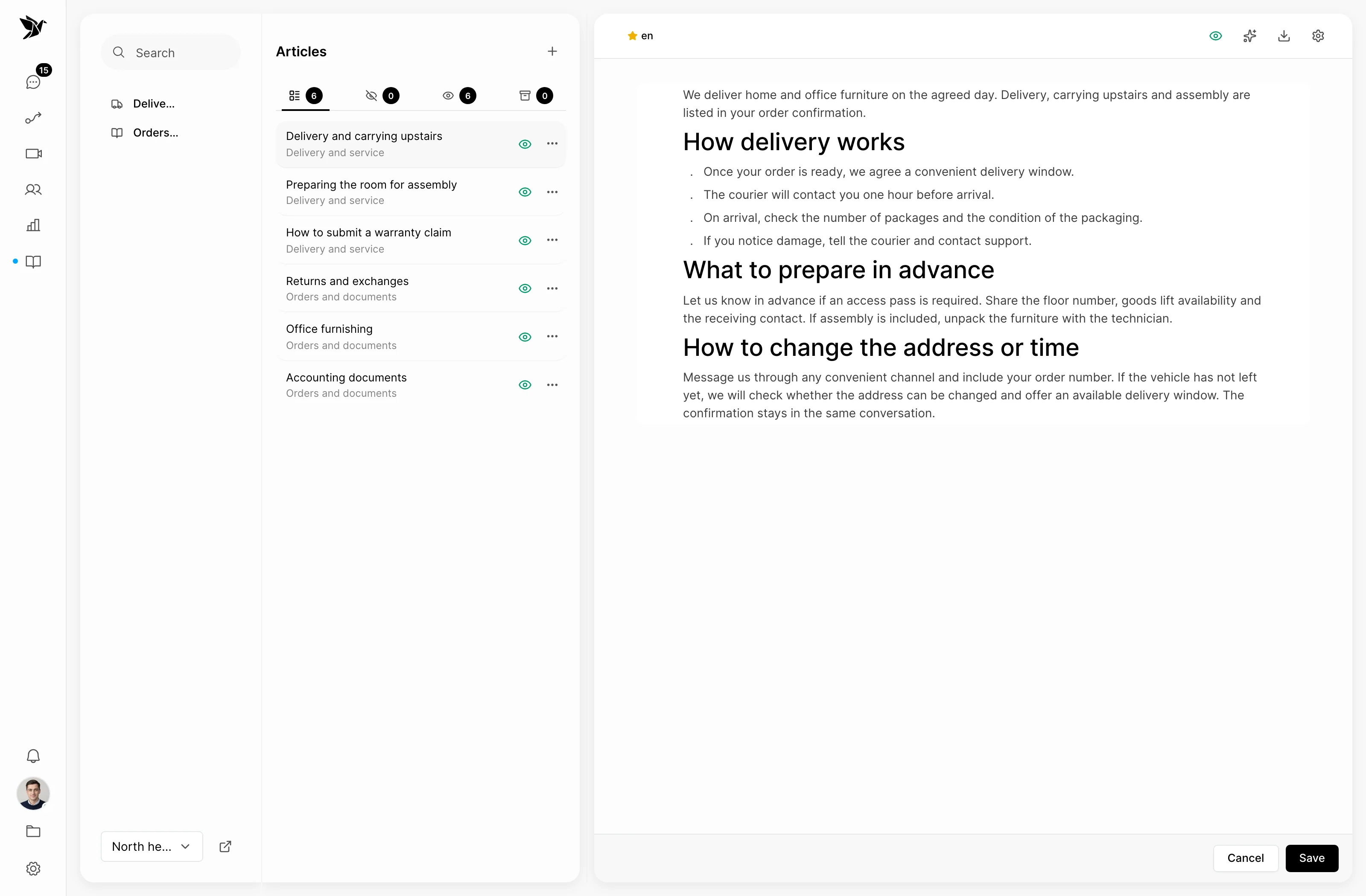
08 / Knowledge base
Bring instructions and answers into a help center on your own domain. Customers find information themselves, while your agents and AI use the same knowledge in conversations.
Help center · Custom domain · Sources for AI
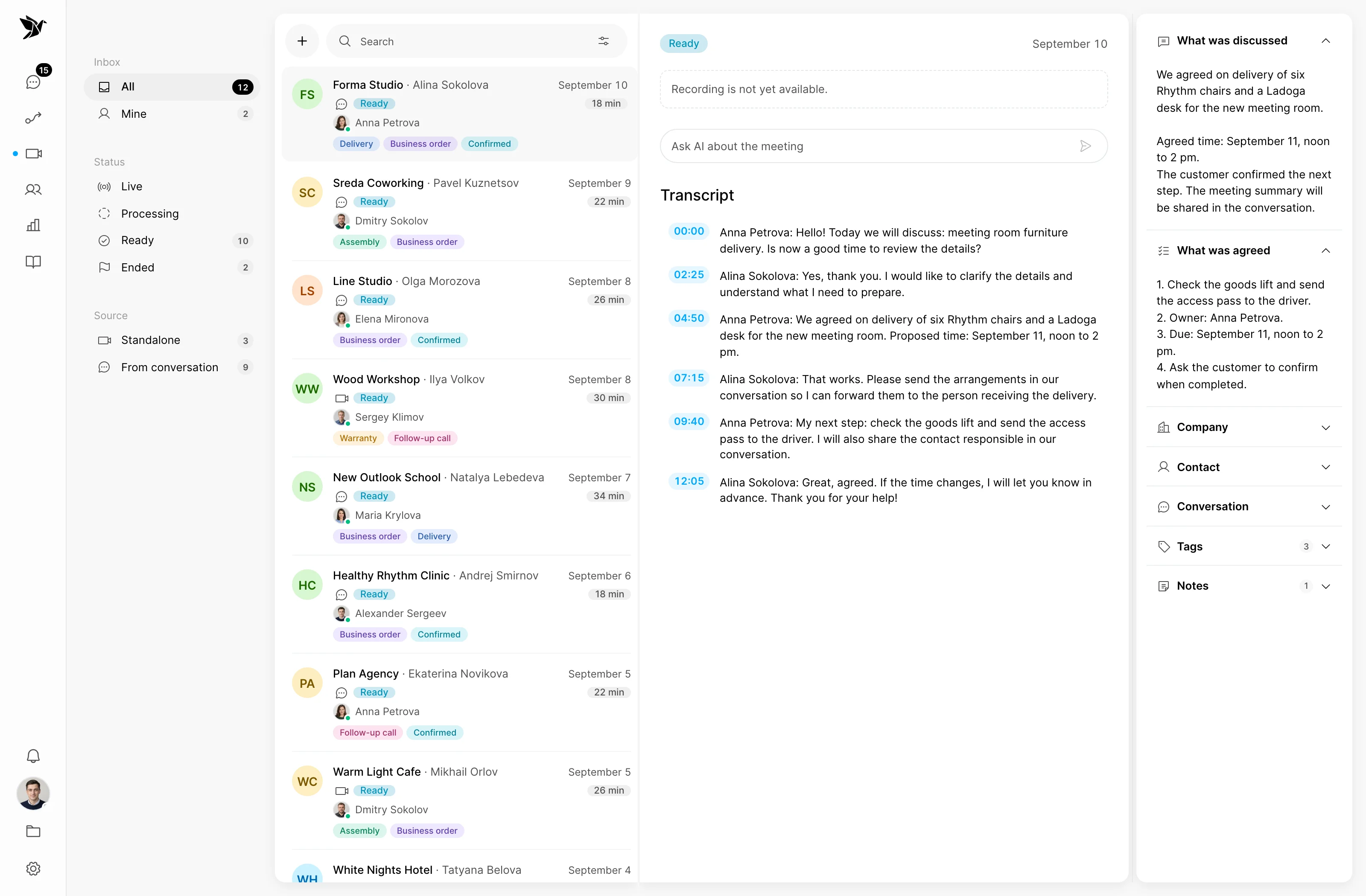
09 / Conferences
Move from text to a video meeting. Discuss a difficult question, share your screen, and keep the audio recording, transcript and summary alongside the request.
Video meetings · Screen sharing · Summaries
Teamwork
Bring colleagues into difficult questions, distribute the work and keep the context. Your customer sees one team.

Internal notes and mentions help your team work together without distracting the customer.

Assignments and teams help distribute requests and show who is handling each question.

Configure employee roles and permissions to match your support organization.
 AnnaSupport
 DmitryService
 ElenaTeam lead
Shared request · No. 1048
Help with order delivery
Could you deliver tomorrow after noon instead?
Internal discussion
Anna replies to the customer with the agreed details
Ways to use Tygy
Support comes first. Sales and marketing can work alongside it, with the same customer conversation in view.

Support
A shared queue, AI assistance and quality review for daily customer support.
Explore the features
Sales
See customer history, reply in their preferred channel and pass information to your CRM.
Explore the features
Marketing
Explore requests and their sources, find recurring questions and improve communication.
Explore the featuresThese are examples, not limits: you can build your own way of working with customers.
Good to know
Tygy is designed for teams that handle customer requests regularly. Connect the channels you need, assign responsibility and configure scenarios for your process. Start with a 14-day trial to test it on your own work.
An AI operator can handle conversations independently using your knowledge base. You define its instructions and when to hand over to a person. For an assistant-only workflow, use AI suggestions: the agent decides what to send.
No. Telegram Desk lets agents work on customer requests directly in Telegram. Conversations stay connected to Tygy, so colleagues in the web interface share the same history.
Tygy includes integrations with Bitrix24 and amoCRM. Configure webhooks in scenarios to send data to other systems. Synchronization capabilities depend on the integration and its settings.
An AI operator seat costs the same as a person’s seat. Each seat includes an AI token budget. Usage depends on the model, context size and task; you can buy additional tokens when needed.
Yes. Registration includes a 14-day trial. No credit card is needed to get started: connect a channel, invite your colleagues and test your workflows. WhatsApp connects after subscription payment. To try it during the trial, contact support.
Bring your team, connect your channels and start the first conversation.