

People
Keep customer details in a profile
Keep people and company information alongside their conversations. Review previous requests, add notes and share context with colleagues.
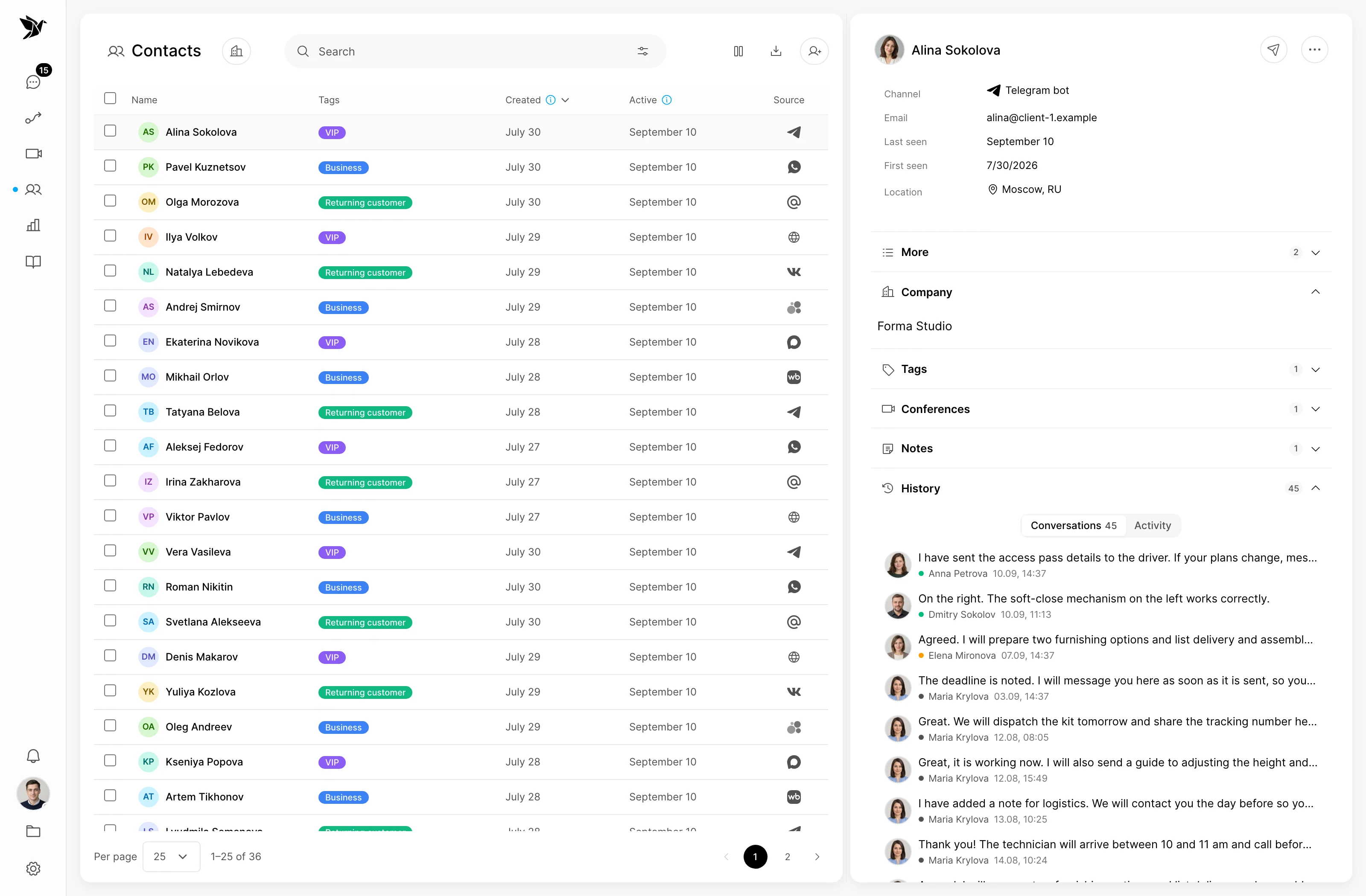
Keep customer details in a profile
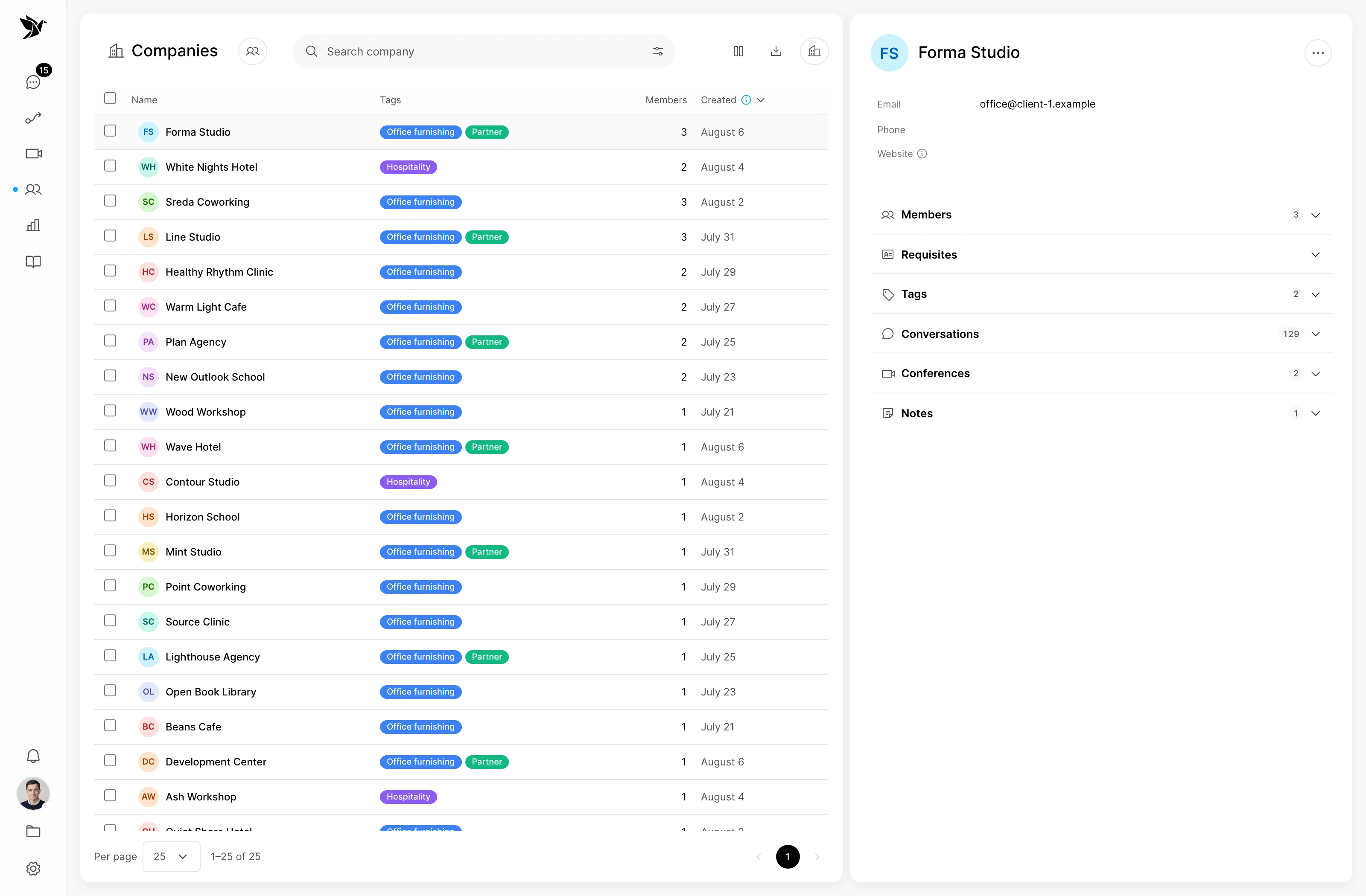
Understand the organisation behind the request
Continue where the team left off
People
Contact information is available alongside conversation history. Agents can check the details and continue with what the team already knows about the customer.
Companies
Company profiles help your team keep information about the organisations it works with. Use this context when speaking with their representatives.
Conversation history
Previous conversations and notes help restore context. When a colleague takes over, important details remain available to the team.
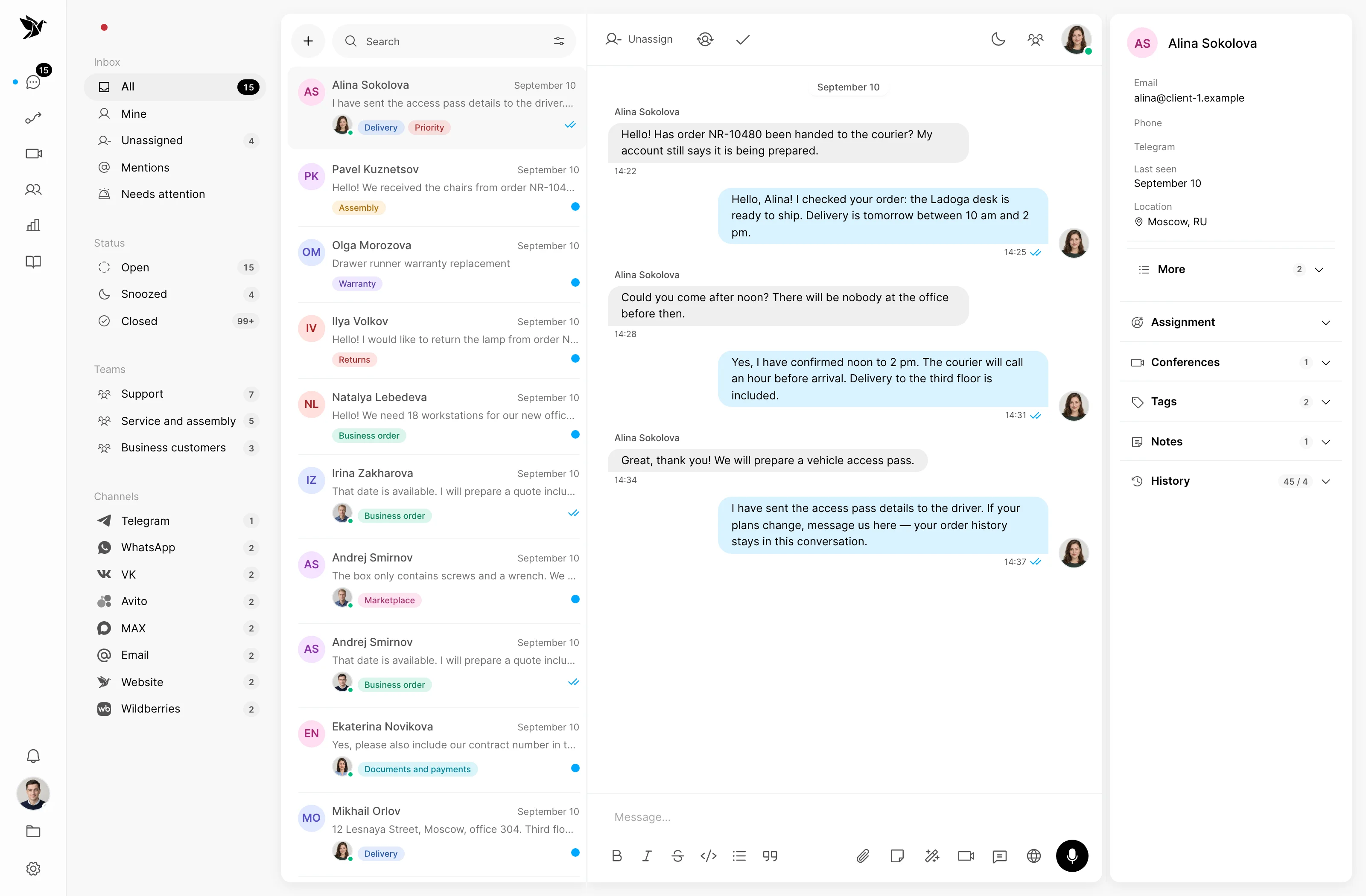
Screenshots show the Tygy interface with demonstration data. Names, conversations and figures are examples.
How it works
Start with the information an agent needs to reply.
Define the task and the people involved.
Choose settings for your team’s workflow.
Walk through a test example.
Review the result and refine the settings.
Check the selected workflow using your team’s examples before putting it to work.
Everyday tools
Review contact information.
Review company information.
Revisit earlier conversations.
Contacts
Yes. Tygy keeps information about the people and companies your team communicates with.
Yes. Conversation history helps restore the customer context.
Notes keep useful details for the team and give colleagues context when they take over.
Start with the information an agent needs to reply.
14 days free · No credit card required