

A reply with context
AI considers the conversation when preparing a suggestion.
AI drafts a reply using the conversation context and company knowledge. The agent checks the wording, adds details and sends the response to the customer.
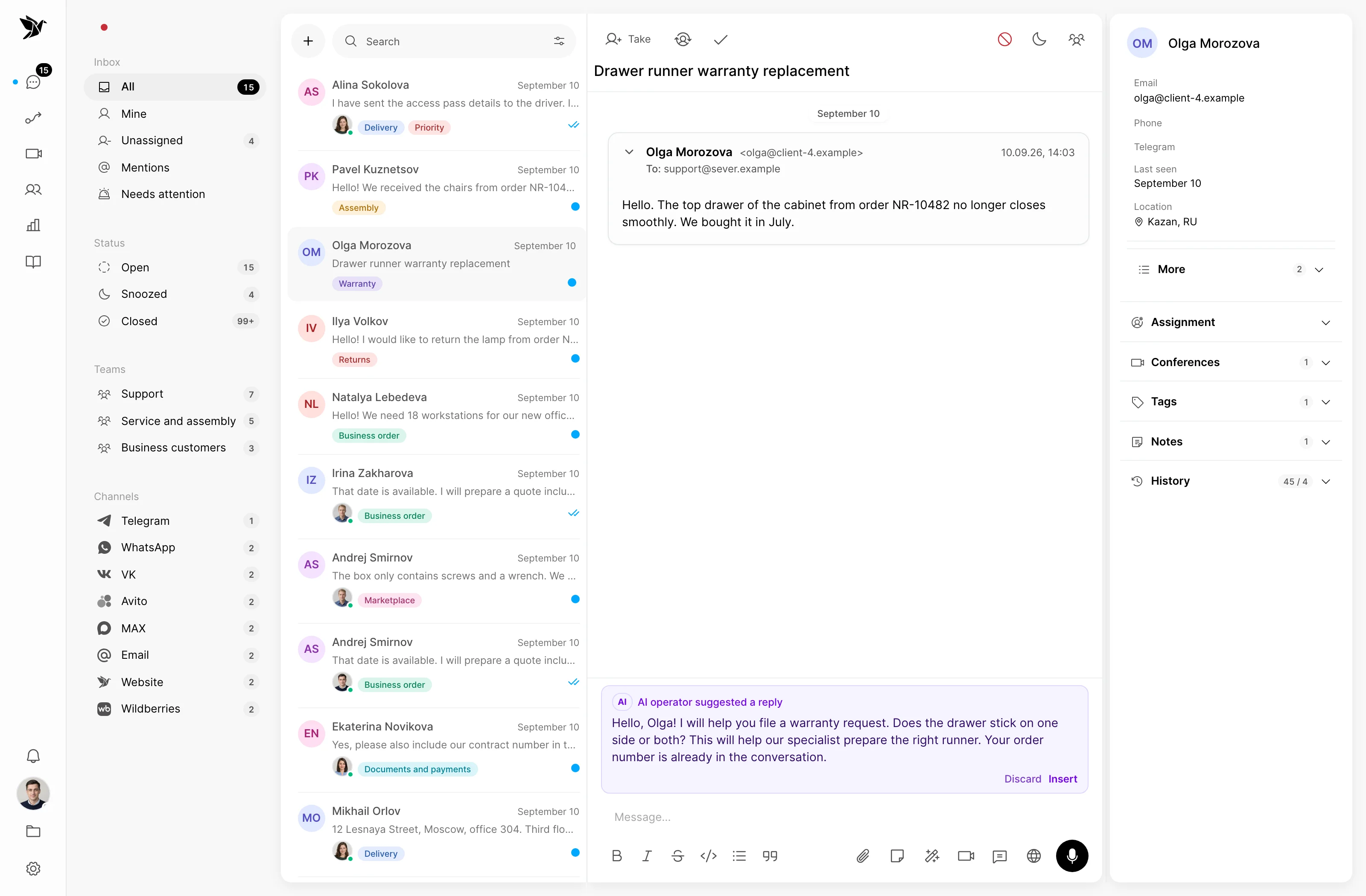
AI considers the conversation when preparing a suggestion.
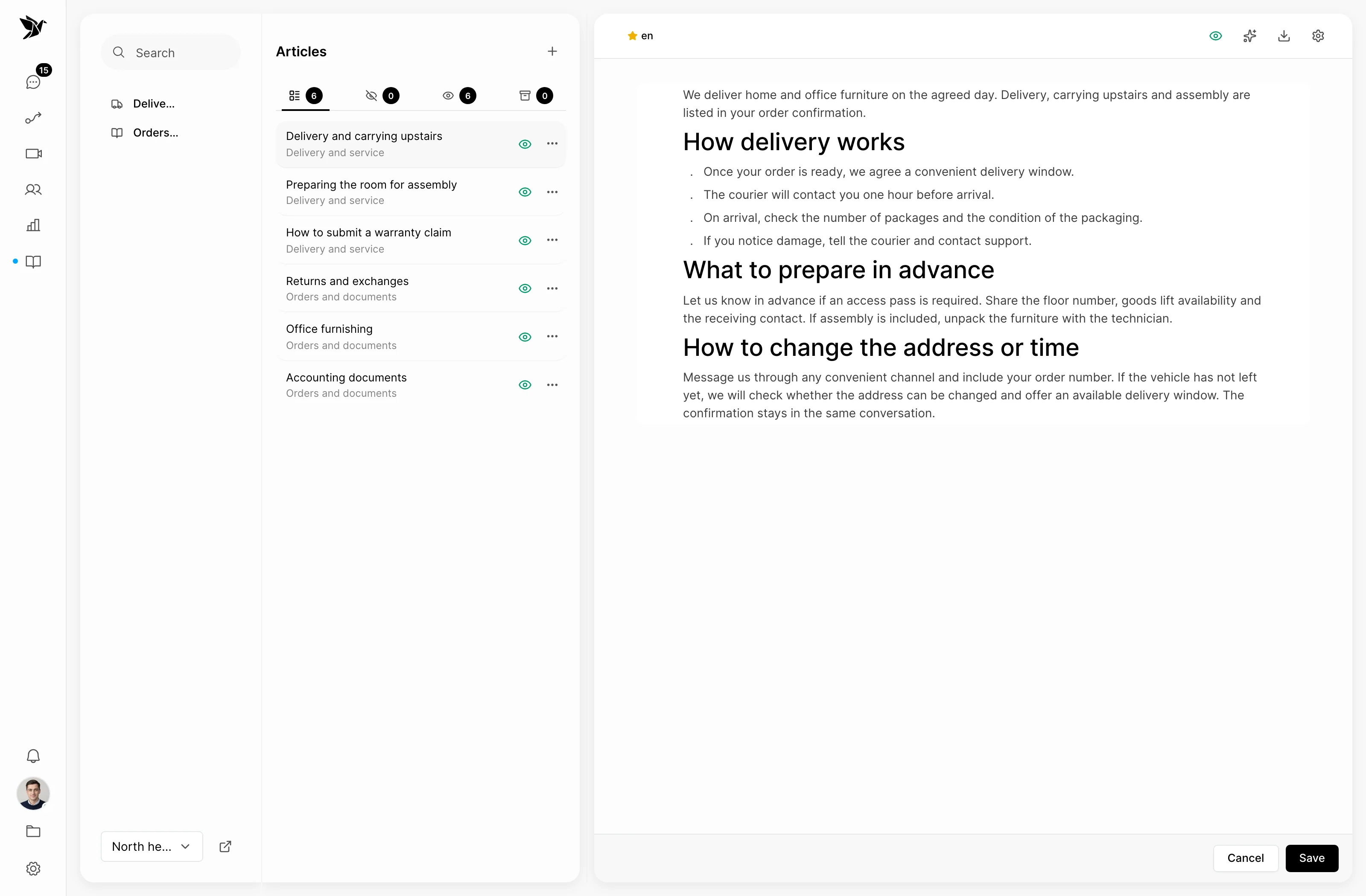
The knowledge base provides company policies and information.
The agent decides which text to send.
Conversation context
The suggestion uses conversation history to propose the next reply. The agent checks whether it fits the customer’s situation.
Company knowledge
The connected knowledge base helps AI find information about policies and processes. Current articles support experienced agents and new team members alike.
Agent control
AI suggestions assist the agent handling the conversation. The agent can edit the text, use part of it or write their own response.
Screenshots show the Tygy interface with demonstration data. Names, conversations and figures are examples.
How it works
Suggestions fit into your usual conversation workflow.
Read the message and customer context.
Get an AI suggestion.
Check the facts and edit the text.
Send your reply to the customer.
Configure the feature for your team and check the results against your own examples.
Everyday tools
Use company knowledge to answer questions about policies and terms.
A draft and instructions provide a starting point for a reply.
Edit the suggested text to fit the situation.
AI suggestions
No. AI prepares text for an agent to review, edit and send. Independent replies are configured separately for the AI operator.
A knowledge base supplies facts about your company. Without it, suggestions use conversation context but do not gain knowledge of your policies and terms.
Yes. A suggestion is a starting point for editing. The agent determines the final reply.
Prepare a few articles and compare drafts with the replies your team considers good.
14 days free · No credit card required