

Shared inbox
Start your shift with the full picture
Bring messages from different channels into one queue. Assign owners, tag what matters and review the history without searching across chats.
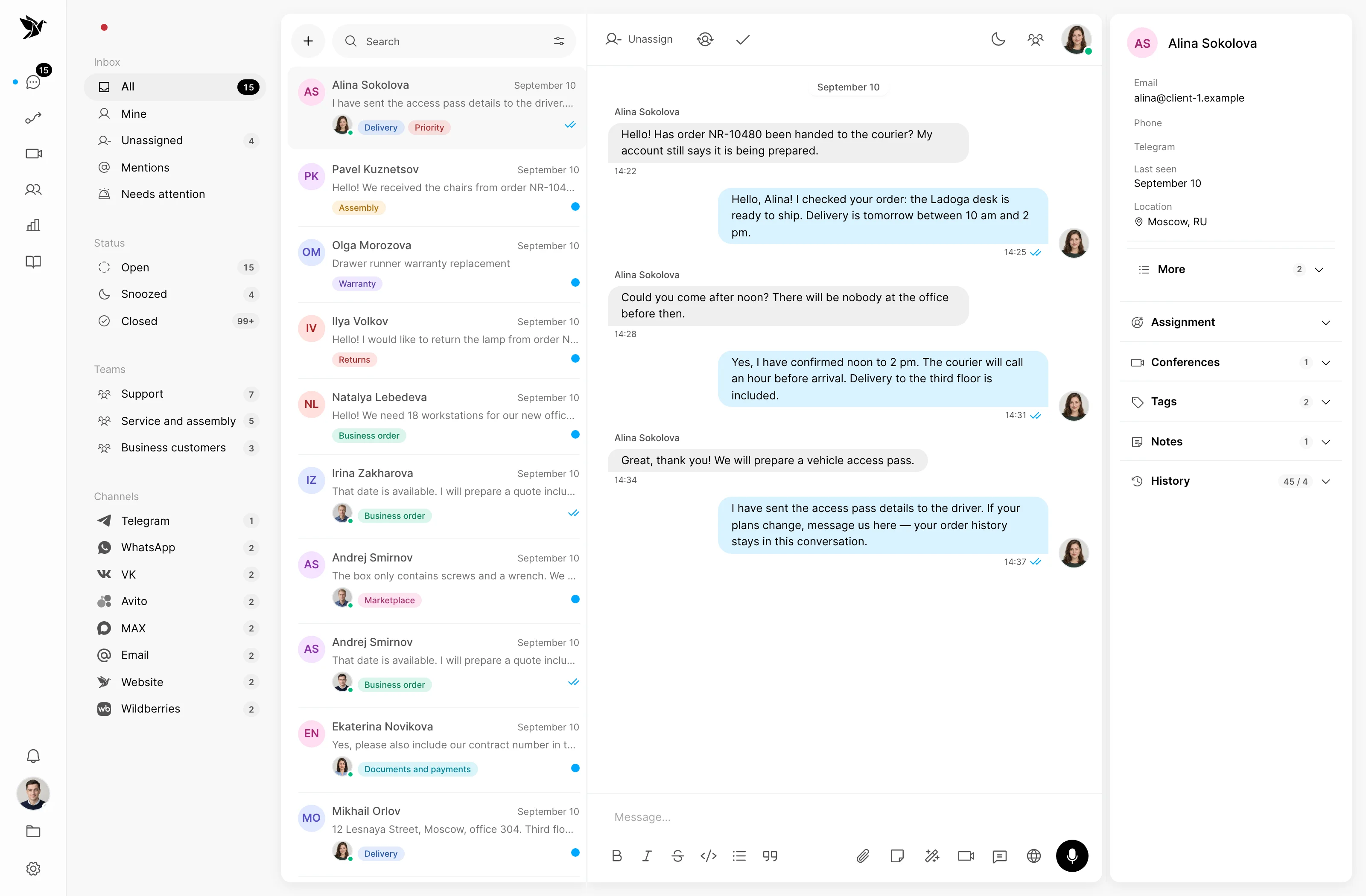
Start your shift with the full picture
Give each question a clear next step
Reply with previous conversations in mind
Shared inbox
Conversations from connected channels appear in one workspace. Filters help you find the conversations you need and focus on your queue.
Ownership
Assign a conversation to an agent and hand it over to a colleague. The history stays with the conversation so the next agent can understand the question.
Customer context
The customer profile brings contact information and history alongside the conversation. Your team can revisit an earlier request and take previous discussions into account.
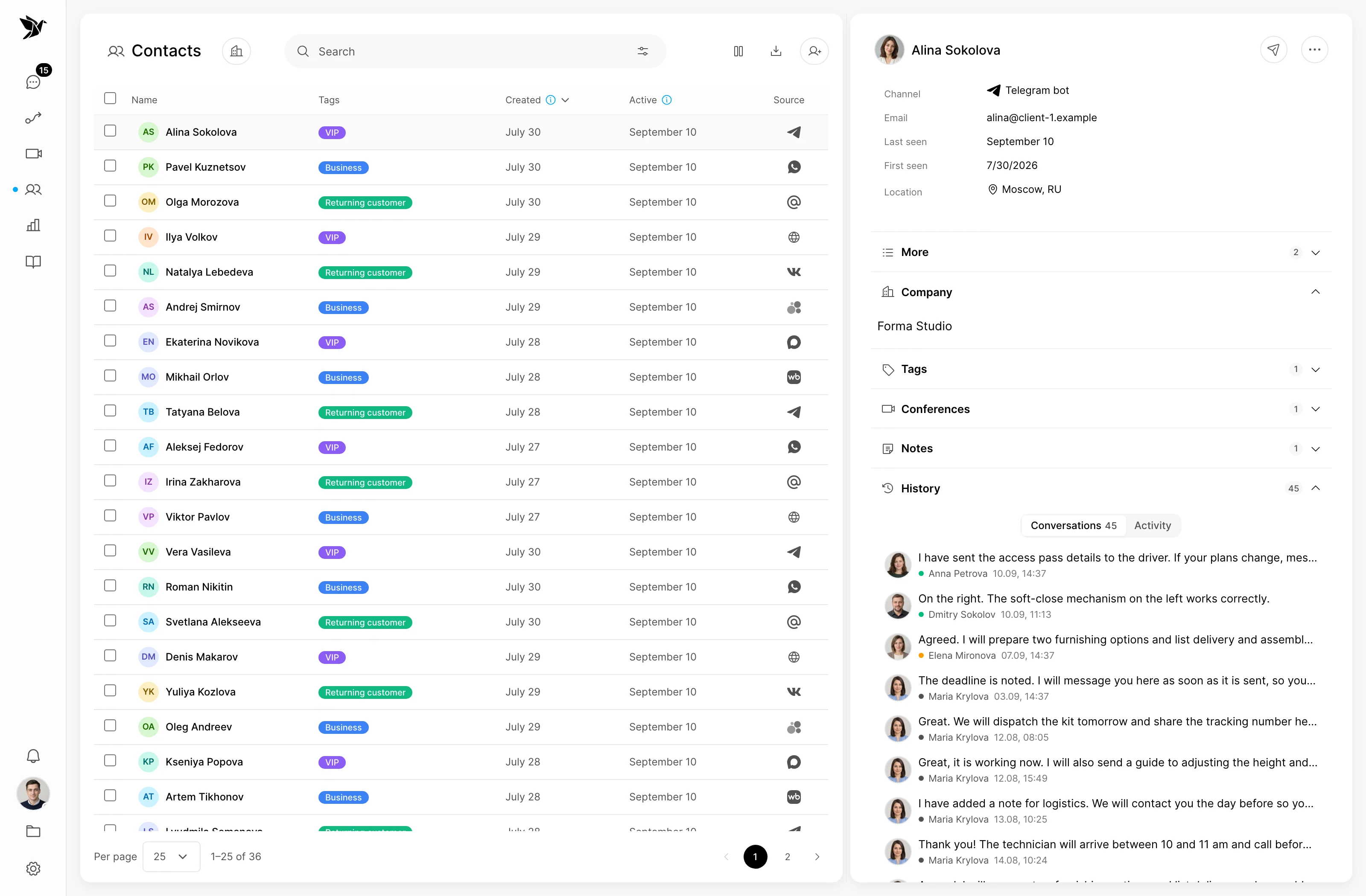
Screenshots show the Tygy interface with demonstration data. Names, conversations and figures are examples.
How it works
Connect a channel, agree on assignment and start with a real question.
Define the task and the people involved.
Choose settings for your team’s workflow.
Walk through a test example.
Review the result and refine the settings.
Check the selected workflow using your team’s examples before putting it to work.
Everyday tools
Review incoming conversations.
Assign the agent who will continue the work.
Check the customer’s details.
Conversations
Agents handle conversations from connected channels in Tygy. Available message formats depend on the channel.
Yes. You can assign or change the responsible agent while keeping the conversation history.
Contact information and previous conversations are available in the customer profile.
Connect a channel, agree on assignment and start with a real question.
14 days free · No credit card required