

Company knowledge
Replies draw on selected sources and instructions.
The AI operator answers using your knowledge, prepares drafts and hands conversations to your team. You define what it knows and when it acts on its own.
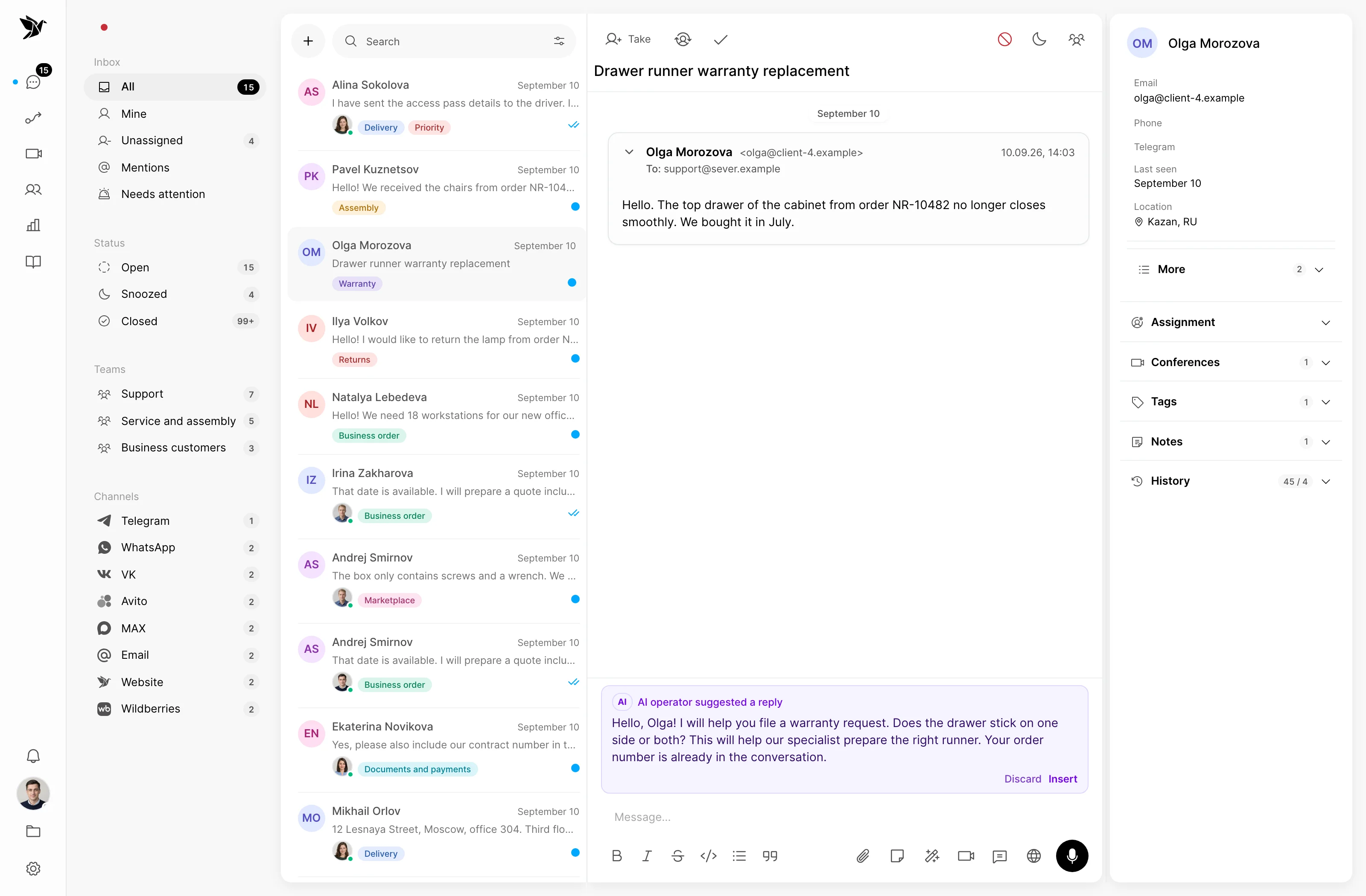
Replies draw on selected sources and instructions.
You choose between a draft and an independent reply.
An agent joins the same conversation.
Your knowledge
Connect your knowledge base and documents with policies, instructions and answers. Set the AI operator’s communication rules and scope.
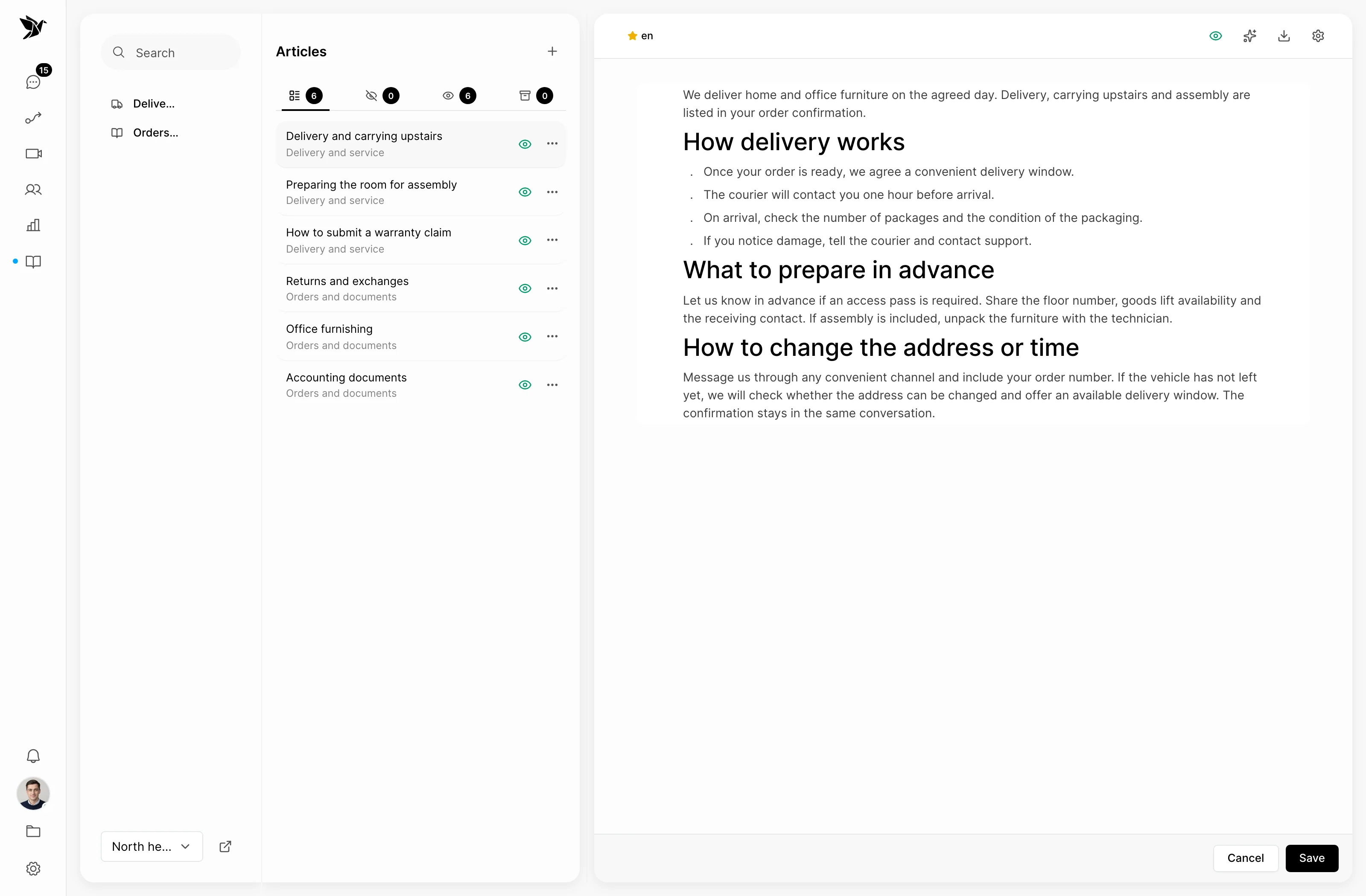
Working mode
Start with drafts: an agent reads, edits and sends the reply. Once the process is tested, enable independent replies for the tasks you choose.
Team handoff
Configure handoff when AI lacks the knowledge or a task needs a person. Your team continues the same conversation with its message history.
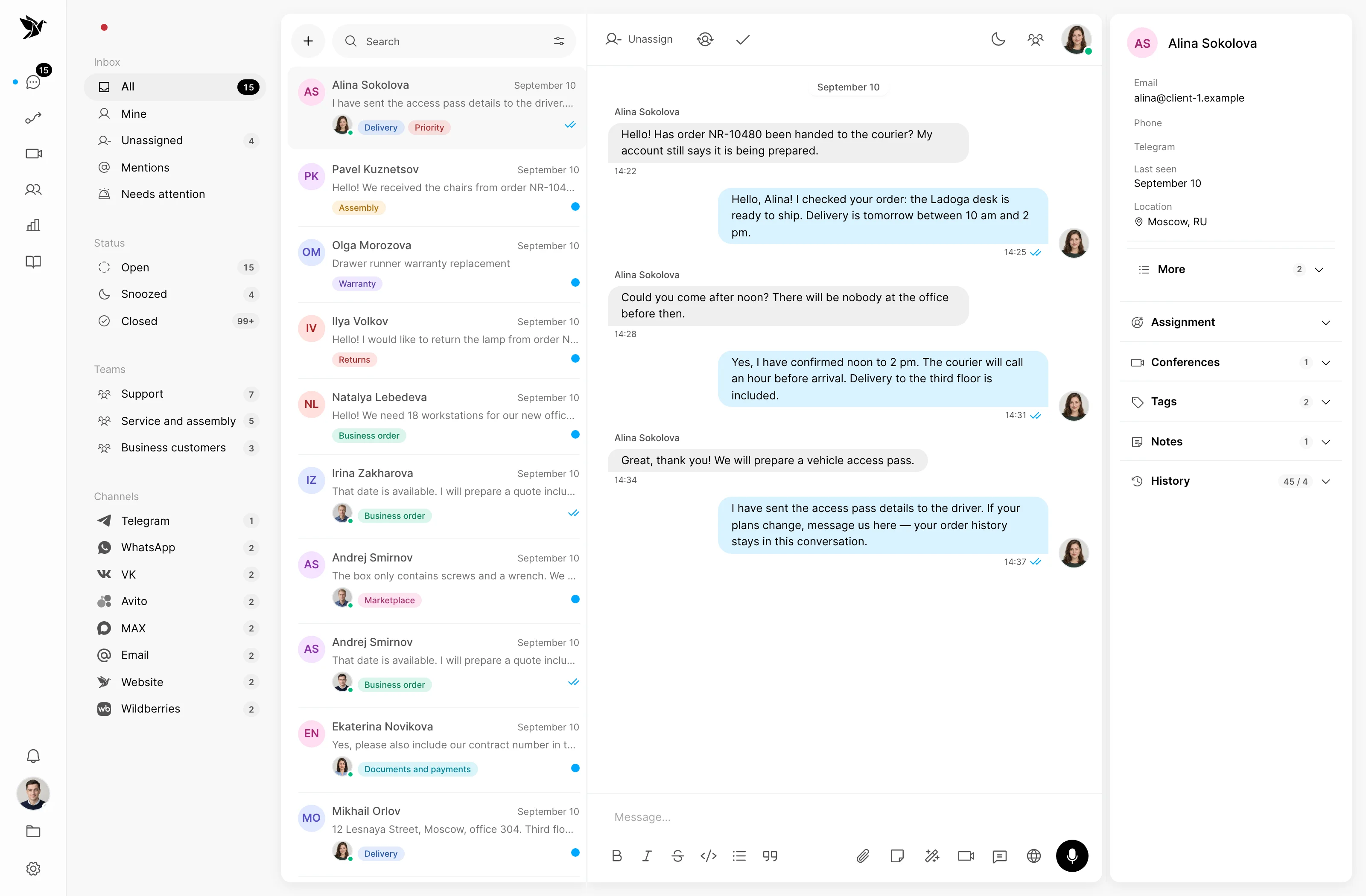
Screenshots show the Tygy interface with demonstration data. Names, conversations and figures are examples.
How it works
For example, start with delivery questions.
Add current policies to your knowledge.
Set instructions and handoff rules.
Try common and difficult questions in the sandbox.
Choose a mode and review the first conversations.
Configure the feature for your team and check the results against your own examples.
Everyday tools
Test questions and answer sources before working with customers.
Enabled separately, it helps build knowledge from human replies and corrections.
AI activity remains part of the conversation history.
AI operator
Yes. In draft mode, an agent reviews the text and sends it to the customer.
Configure handoff to a person for these cases. Test it in the sandbox alongside common questions.
Self-learning is enabled separately. You can review and expand the resulting knowledge; keeping source material current still matters.
Start with sources your team trusts and one clearly defined workflow.
14 days free · No credit card required