

One shared inbox
Questions from messaging apps, email, marketplaces and website chat arrive in a common workspace.
Bring messages from different channels together, add AI and help customers as one team. History, knowledge and ownership stay close to the conversation.
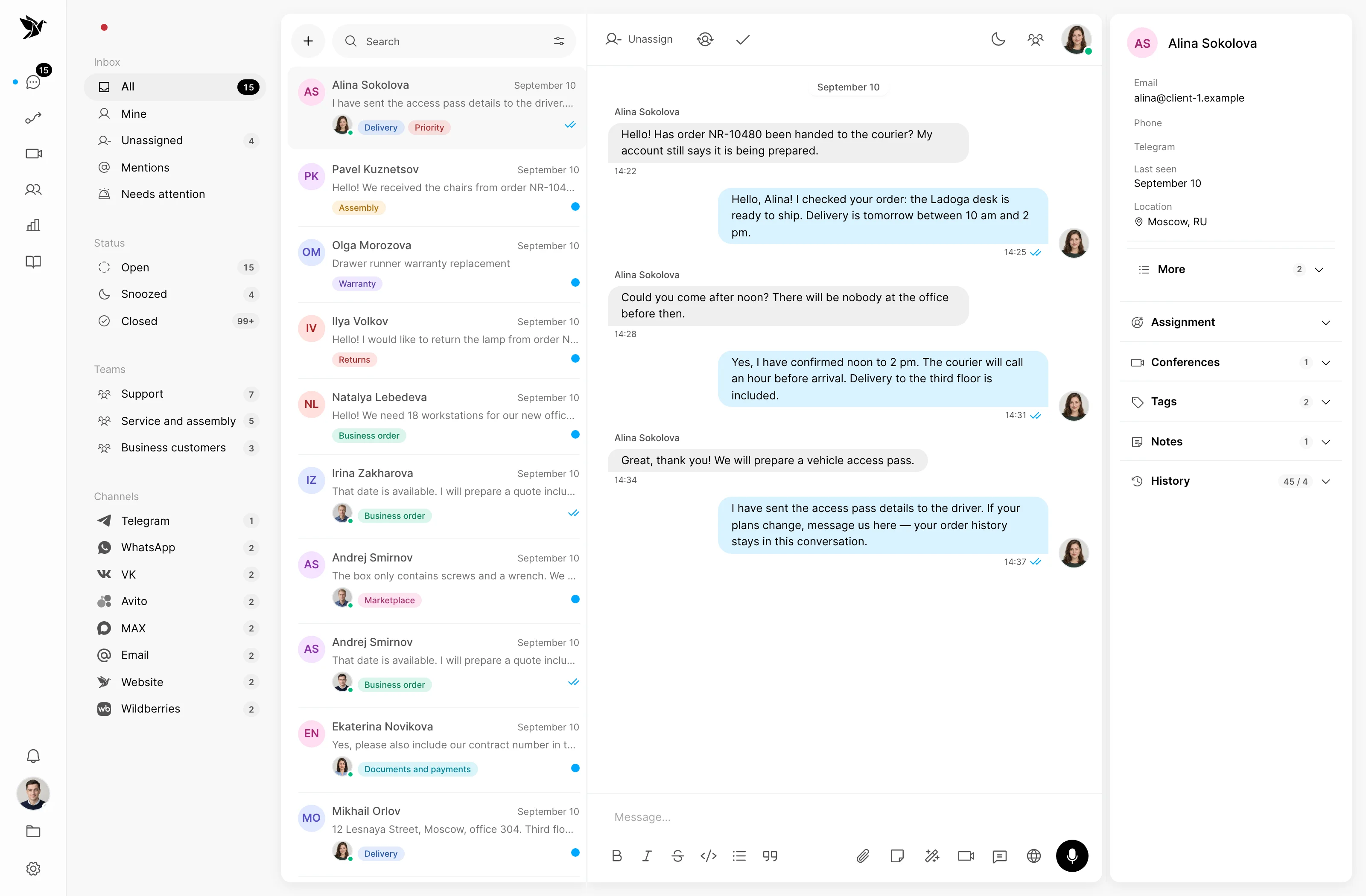
Questions from messaging apps, email, marketplaces and website chat arrive in a common workspace.
It answers using your knowledge, prepares drafts and hands difficult questions to a person.
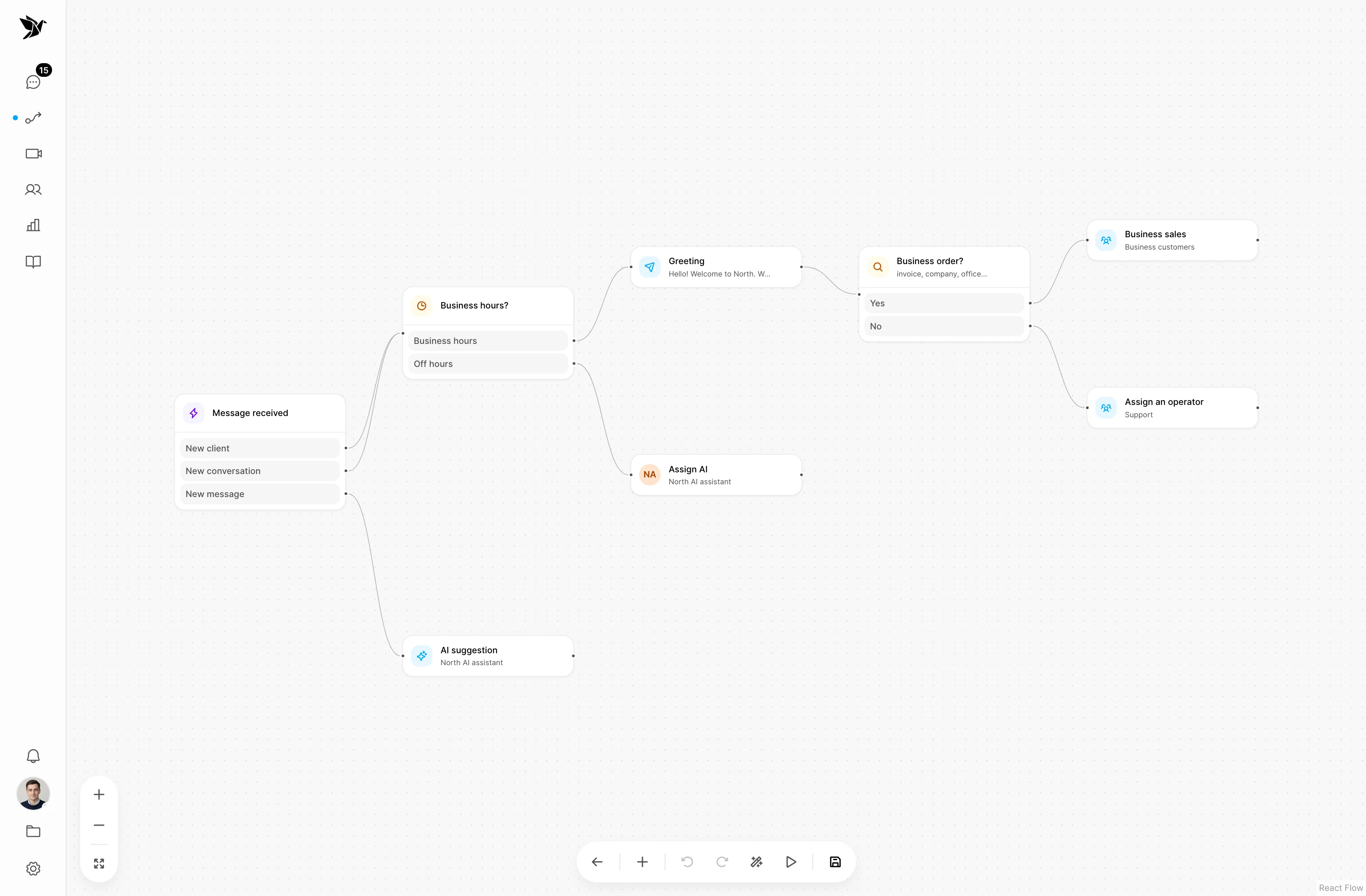
Assignments, internal discussions and reviews show who is handling a question and how it was resolved.
Conversations
Connect the channels you need and reply from one workspace. Conversation history, customer details and the assigned agent sit alongside the shared queue, teams and filters.
AI operator
Choose where AI replies on its own and where it prepares a draft for a person. Set instructions, knowledge sources and topics that should go to your team.
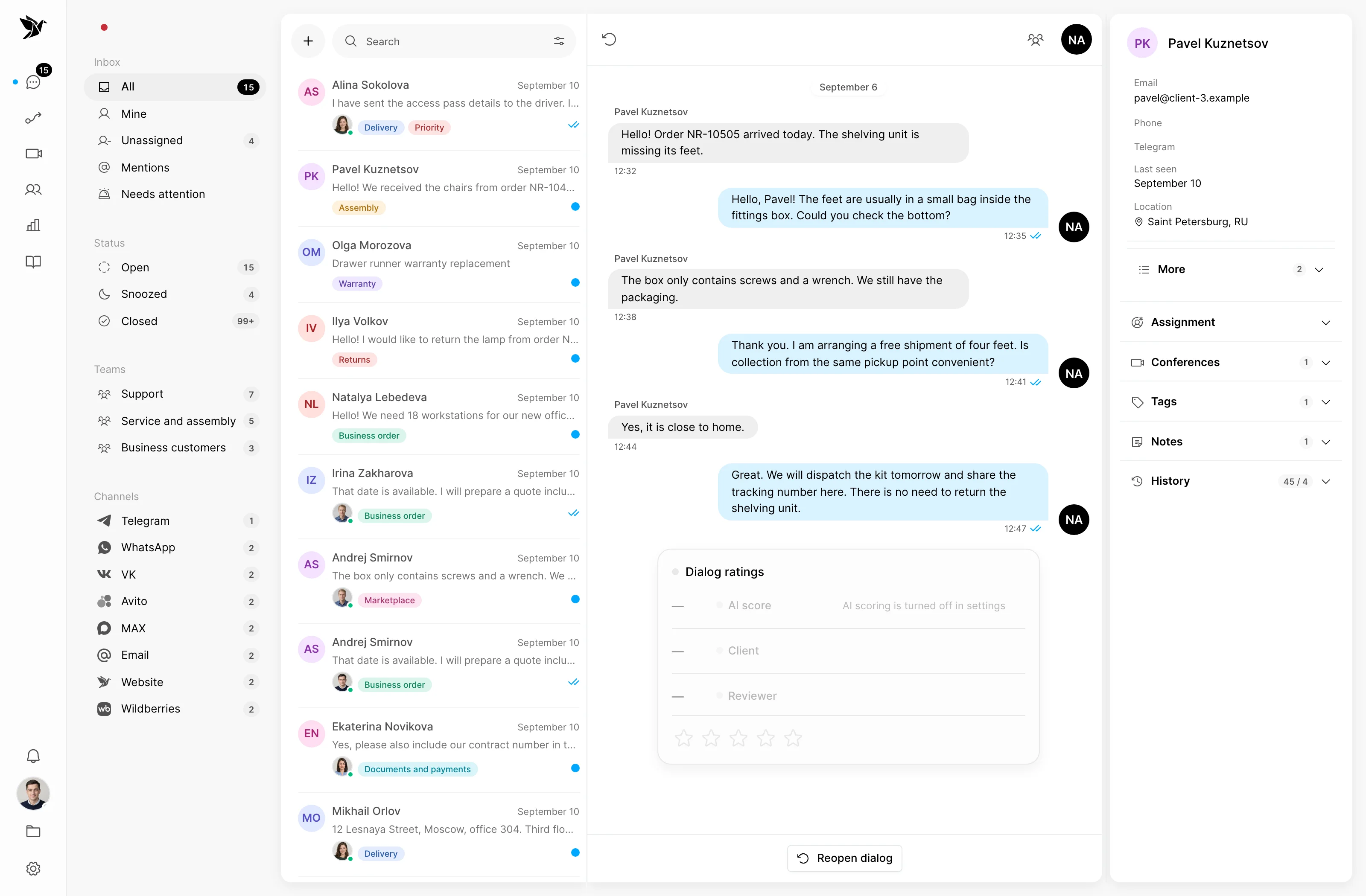
Team knowledge
Keep your instructions in a knowledge base. Enable self-learning so human replies from closed conversations and reviewer corrections can help expand the knowledge available to AI.
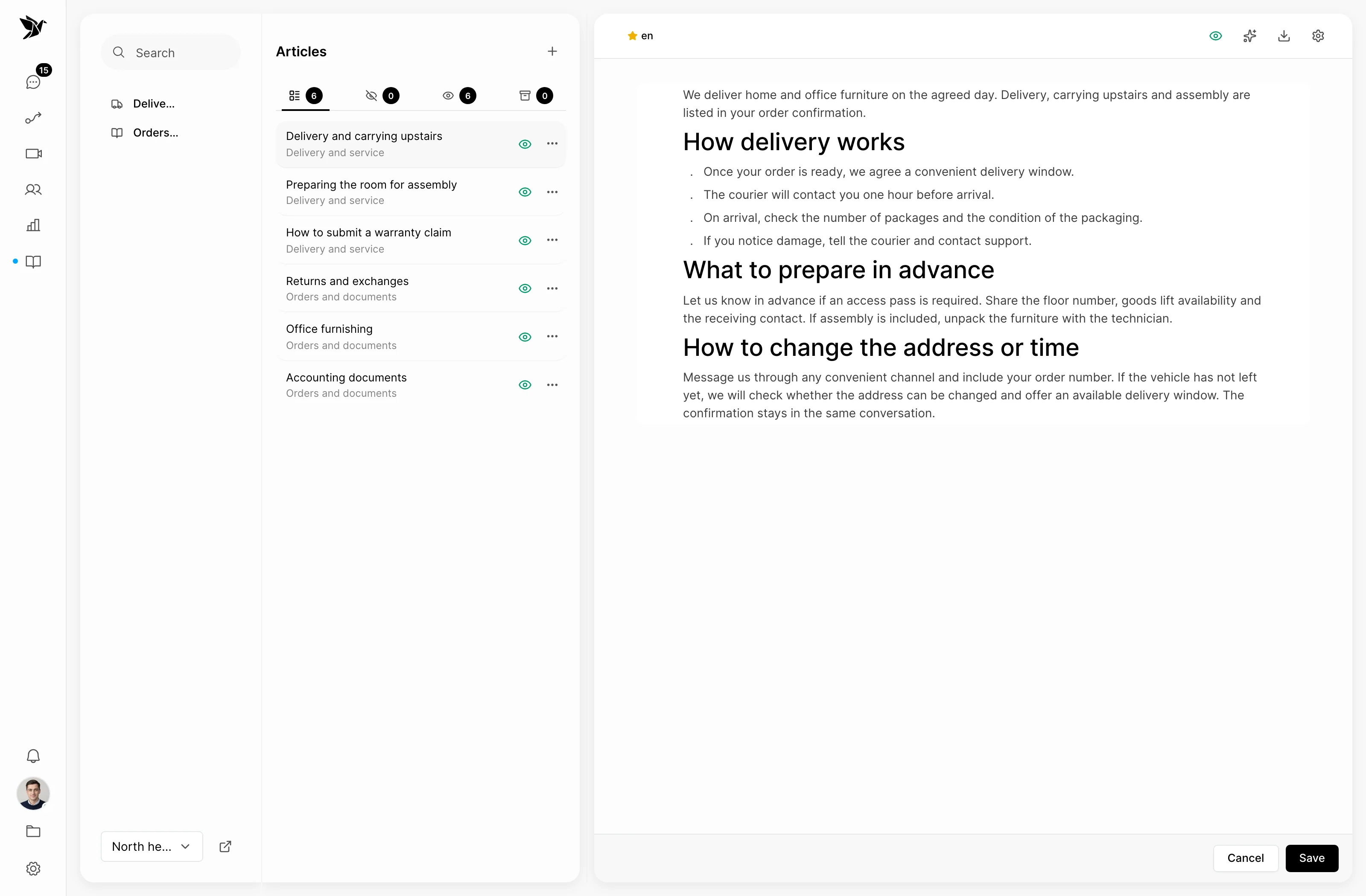
Scenarios
Build rules visually around channels, business hours and teams. Distribute conversations in rotation or by workload, and decide what should happen when a reply is taking too long.
Ways to work
Telegram Desk lets your team work on conversations in Telegram group topics. Staff continue the shared customer conversation, while settings and advanced tools remain available in the web interface.
Hello! Could you confirm the delivery time?
Assigned to agent · Helen
Hi Anna! I will check with the delivery team and get back to you.
How it works
For example, a customer asks about delivery. Tygy keeps the context at each step, even when AI and several colleagues help with the question.
A message arrives from a connected channel in the shared inbox.
AI looks in the knowledge sources, or the team asks for more detail.
The owner involves colleagues, replies to the customer and closes the question.
Ratings and a review of the closed conversation help improve answers and knowledge.
An example process. Configure rules, owners and message content to suit your team.
Everyday tools
Compare feedback from the customer, AI and a reviewer. Investigate conversations that need attention and leave feedback for the agent.
Track first response time, new and resolved conversations, channel volumes and busy days and hours.
Read incoming messages in your language and send a translated reply to the customer. Translation uses AI tokens.
Configure access to sections and conversation visibility: an agent's own, their team's or the company's conversations.
Open previous conversations, notes and the customer's company details before asking for information you already have.
Receive assignment, mention and customer reply notifications; choose your personal settings and Do Not Disturb mode.
Support
Yes. AI can prepare drafts for staff to review and send. If you enable autonomous replies, configure the knowledge sources, instructions and rules for handing a question to a person.
Connect your knowledge base and current documents, set instructions and try real questions in the sandbox. It shows the answer and sources used, as well as situations where AI would hand the question to a person.
Self-learning must be enabled. It periodically processes human answers from closed conversations and accounts for reviews and corrections. You can inspect the resulting knowledge, while unanswered questions help identify gaps in the knowledge base.
A connected Telegram bot is a channel customers write to. Telegram Desk is the staff workspace inside a Telegram group: its topics let the team handle conversations from connected channels.
Yes. Scenarios can assign a team and owner, account for business hours and distribute conversations in rotation or by workload. Internal notes and mentions help pass context to colleagues.
Connect your first channel, invite colleagues and see how Tygy helps take a conversation from the first message to a resolution.
14 days free · No credit card required