

Conversation text
A transcript helps locate the passage you need.
After a recorded conference, get a transcript, a summary and decisions. Ask questions about the meeting to return to the detail you need.
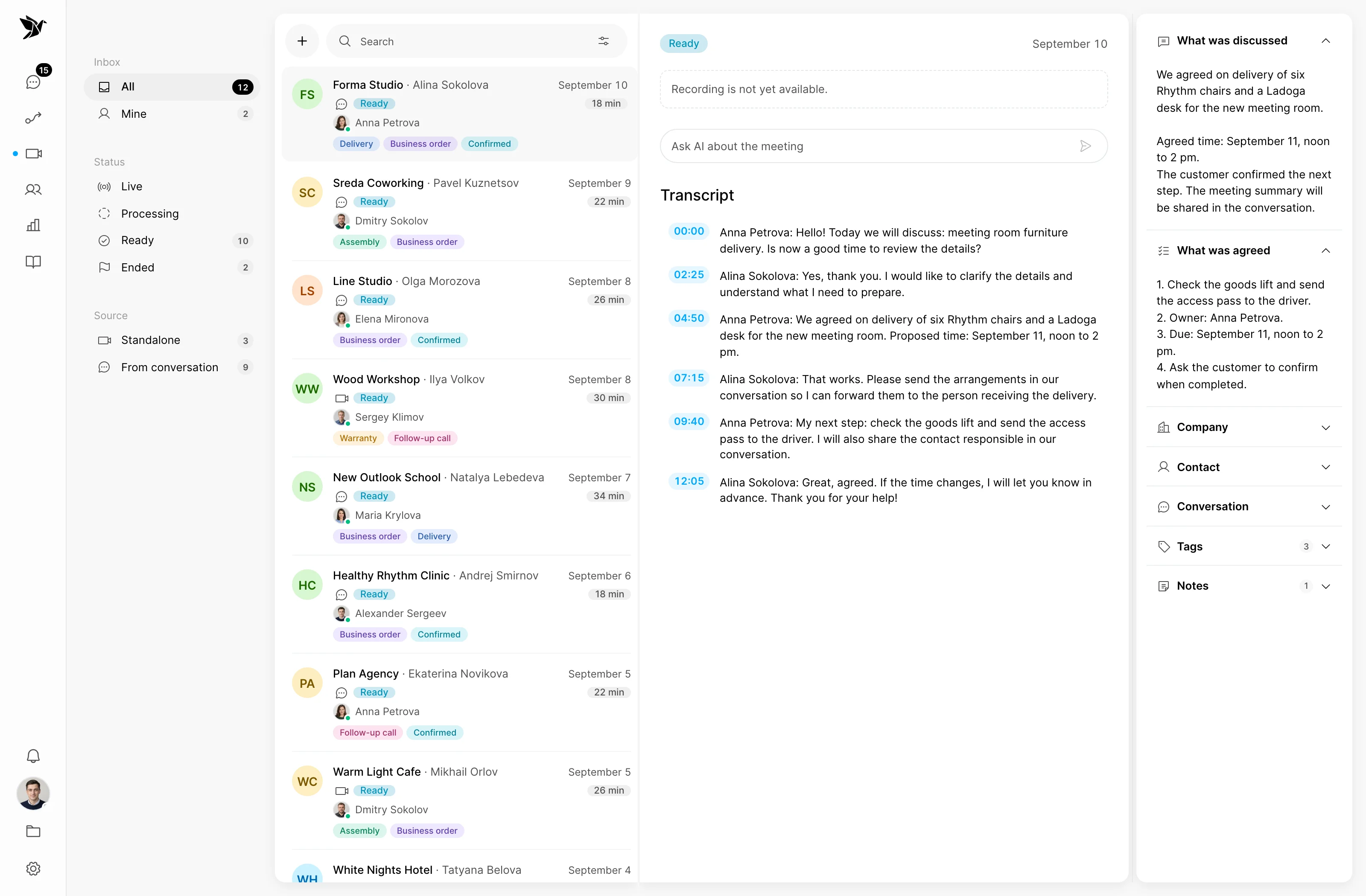
A transcript helps locate the passage you need.
Discussion and decisions are collected in the meeting record.
Questions about the meeting help clarify details.
Transcript
Once the recording is processed, the conversation appears as a transcript with timestamps. Find a passage and check how a request or answer was phrased.
Summary and decisions
AI prepares a summary and extracts decisions from the transcript. Your team can recall the discussion and check what each side agreed to do.
Questions about the meeting
Ask a question about the conference. AI looks for an answer in its transcript and returns quotations with timestamps.
Screenshots show the Tygy interface with demonstration data. Names, conversations and figures are examples.
How it works
From recording to your next customer conversation.
Hold and record a conference.
Wait for the transcript and summary.
Ask a question and check the quotations.
Follow up with the context of the conversation.
Configure the feature for your team and check the results against your own examples.
Everyday tools
Link conferences to customer contacts and companies.
Add your own notes to the results.
Use transcript questions to prepare for the next contact.
AI conferences
After successful recording processing, a transcript, summary and extracted decisions are available. You can add meeting notes.
Yes. Answers are based on the transcript and can include timestamped quotations. AI cannot recover information absent from the text.
No. This feature concerns conferences and their recordings. Telephony connections are a separate Tygy capability.
Review the transcript, summary and answers to the questions you usually have after a conversation.
14 days free · No credit card required